
Pulse for real estate agents
What you will see, when to step in, and how to send a client update in two minutes.
- Who this is for:
- real estate agents
- Updated
- Sep 5, 2026
- 5 min read
Your coordinator answers the check-in. You see every deal at a glance, get one email a week with who said what, and can send a client update in about two minutes.
What you will notice
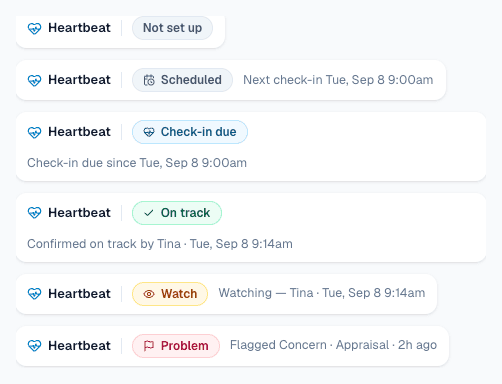
- A chip in the deal header. On track, Watch, Problem, or Check-in due, with one line of context.
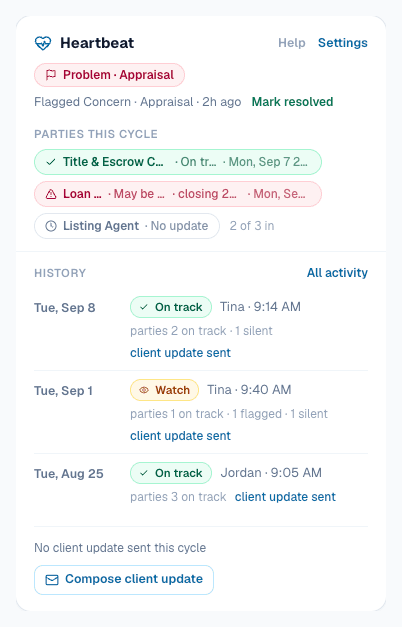
- A Pulse card on the overview. This week's answers from the lender and title company, a short history, and two buttons.
- A line on your dashboard. How many check-ins are due and when the next one is.

Reading the Pulse card
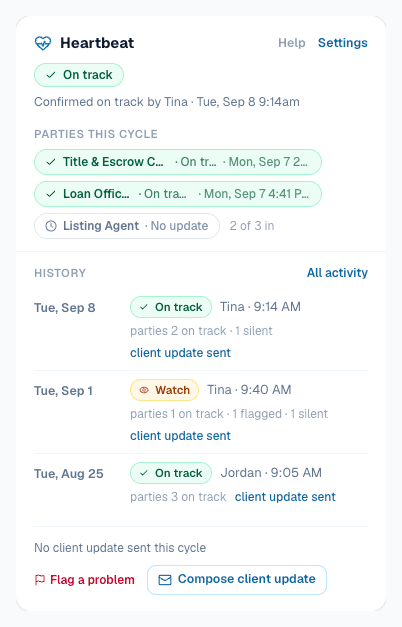
- The status line. Who answered and when.
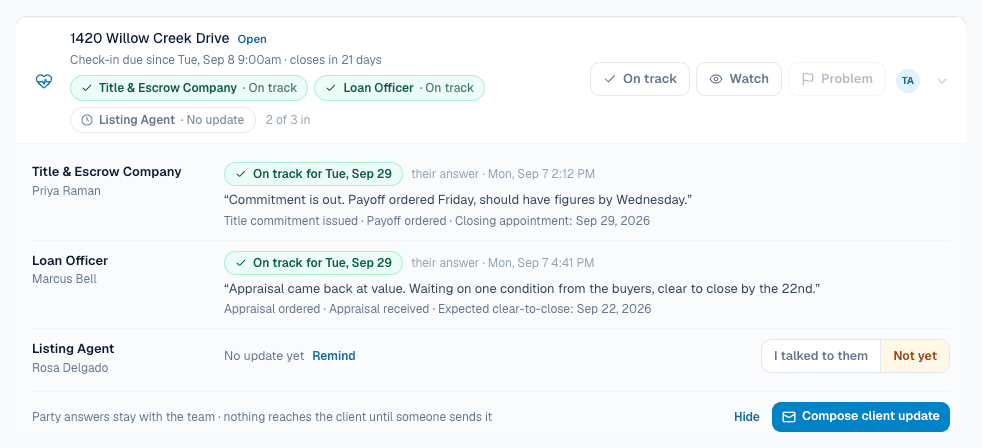
- Parties this cycle. One chip per outside party. Green is on track. Red is a possible problem. White is no answer yet. Click a chip to read their words.
- History. One line per past check-in.
- The footer. Flag a problem and Compose client update.
The result note in your inbox
After every On track or Watch answer, you get one email. It is a weekly status report nobody had to write.
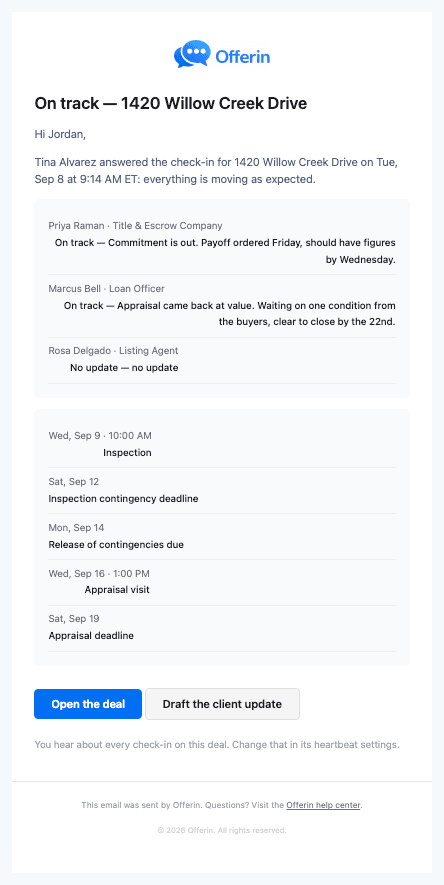
The Draft the client update button opens the deal with the update ready to edit.
When to step in
| You see | What to do |
|---|---|
| Watch with a note | Read the note. Usually nothing today. Maybe one call. |
| A red party chip | Read their words. Decide if it is a Watch or a Problem. |
| Problem | Handle it, then press Mark resolved with one line on the fix. |
| An escalation email | The check-in sat for three days. Answer it yourself. |
Sending the client update

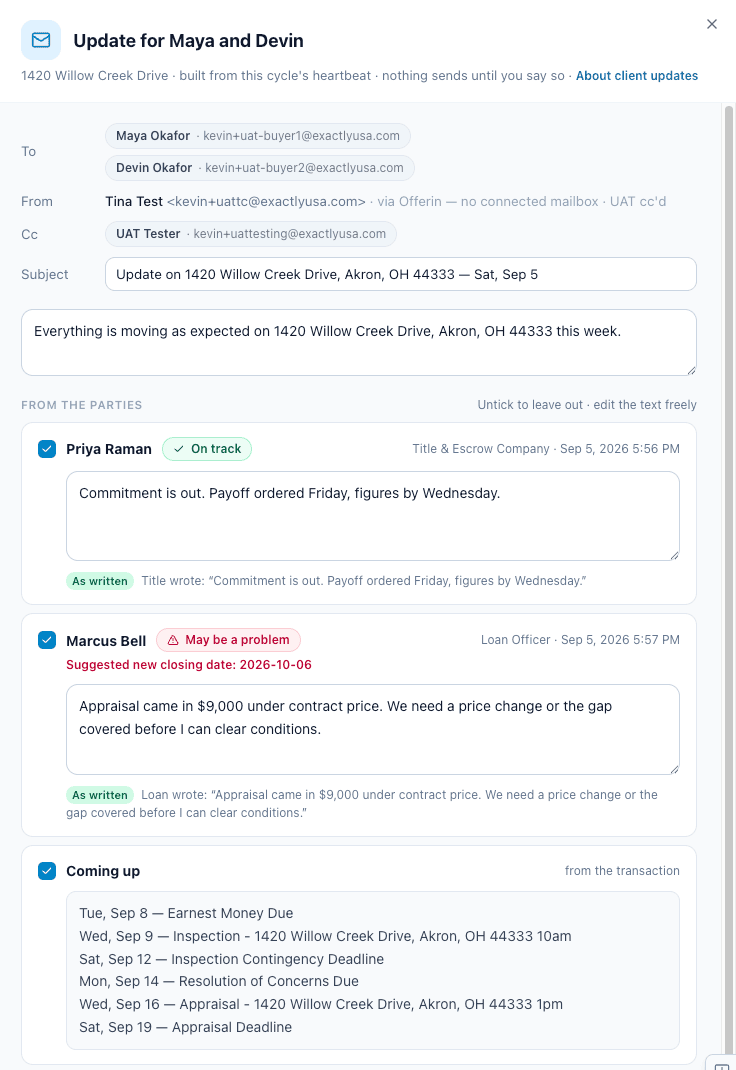
Pulse drafts the update from what the parties said and what is coming up. You edit, preview, send. It goes from your own email when Gmail is connected.
- Press Compose client update.On the card, on the check-in row, or from the result note email.
- Untick what you do not want to share. Edit freely.Each party's answer is its own block, in their words.
- Press Preview email.What you see is what they get.
- Press Send.A PDF copy is filed to the deal's Documents tab.

Listings get a pulse too
A listing can have the same weekly check-in. The only difference is there are no outside parties to ask. Set it up from the listing's Settings tab.
Try it: a week on one deal
Step through five moments on a made-up deal. The card on the left is the real Pulse card.
- Tue, Sep 1 WatchTina · 9:40 AMparties 1 on track · 1 flagged · 1 silentclient update sent
- Tue, Aug 25 On trackJordan · 9:05 AMparties 3 on trackclient update sent
Nothing to do yet
The check-in is set for Tuesday at 9:00 AM. Until then the deal says Scheduled.
No email. No text.
Want the coordinator's side? Read Pulse for transaction coordinators.
Related articles
Set it up in a minute. Answer in one tap. Flag problems fast. Send client updates that write themselves.
You got a check-in email. Here is what it is, how to answer in two taps, and where your answer goes.
You got a check-in email. Here is what it is, how to answer in two taps, and where your answer goes.