
Pulse for transaction coordinators
Set it up in a minute. Answer in one tap. Flag problems fast. Send client updates that write themselves.
- Who this is for:
- transaction coordinators
- Updated
- Sep 5, 2026
- 7 min read
Set up the pulse once per deal. The parties are asked before you look. On check-in day you answer in one tap. When something is off, you flag it and the right people know in seconds.
Setting up a pulse

- Open the deal and press Set up pulse.It is in the Needs attention strip, on the header chip, and on the Settings tab.
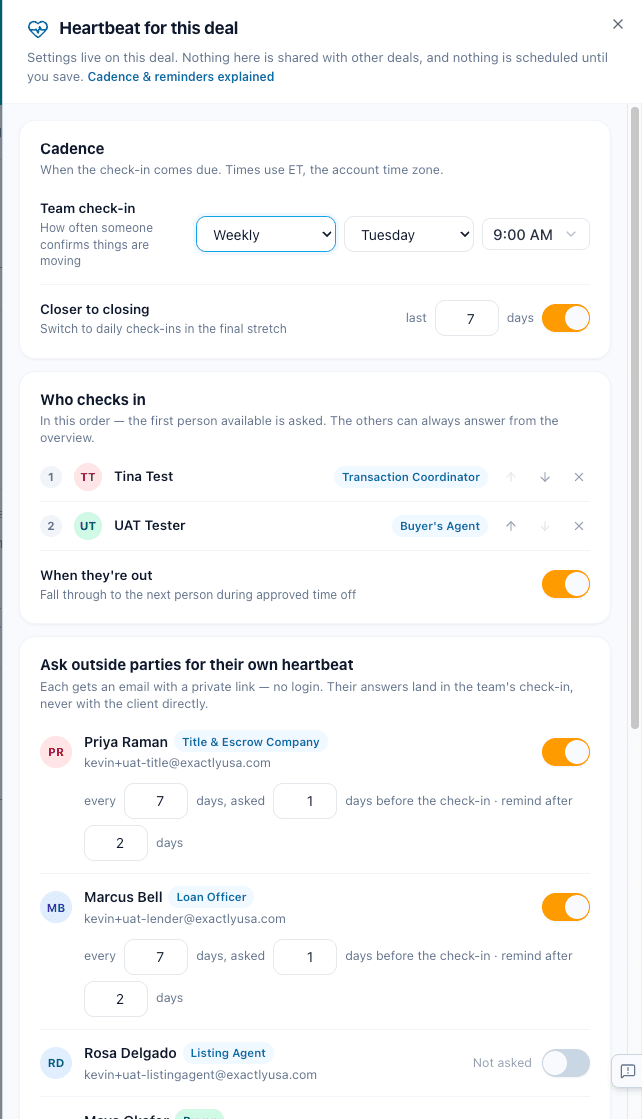
- Check the cadence.Default is weekly, Tuesday at 9:00 AM. Closer to closing switches to daily for the last 7 days. Leave it on.
- Confirm who checks in.You first, the agent second. If you are on time off, the next person is asked.
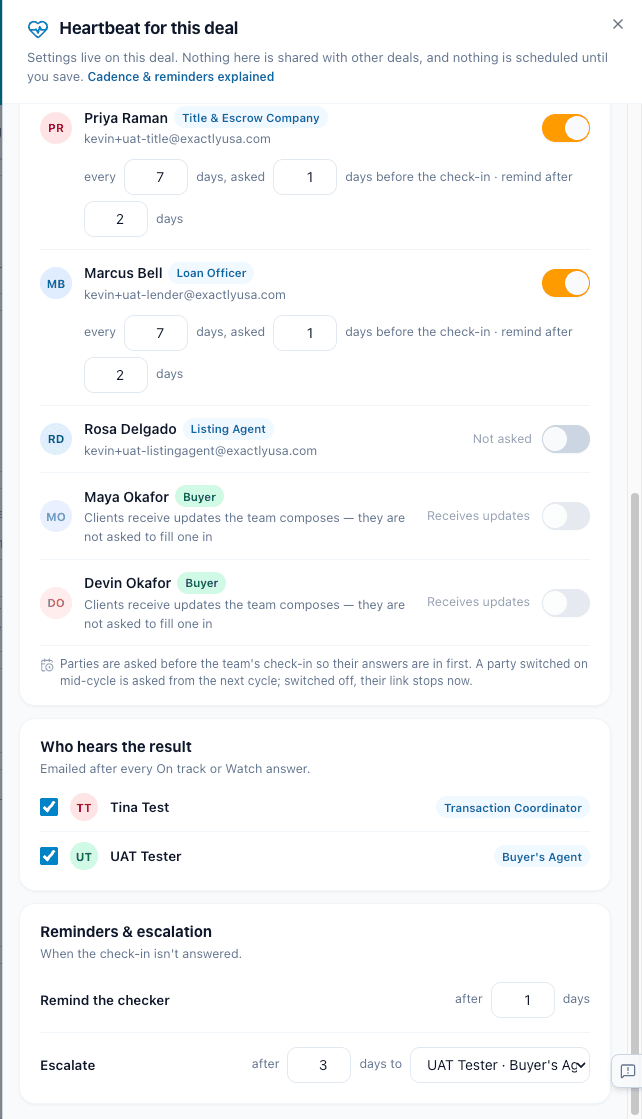
- Switch on the outside parties you want asked.They get the email a day before you, and one reminder if they go quiet. Clients cannot be asked.
- Pick who hears the result. Press Save.Those people get an email after every On track or Watch.
Answering the check-in

Check-ins sit at the top of your Work page, above your tasks. They only show up when it is your turn.

On check-in day the row goes live. The party chips already show their answers.

The three answers
- On track. Things are moving. The deal turns green and the result note goes out.
- Watch. Moving, but keep an eye on something. Add one line. Nobody is paged.
- Problem. Something needs a person. This opens the problem sheet.

Keeping up with outside parties
Click a party chip to open the row. You see their answer, their words, and what they confirmed.
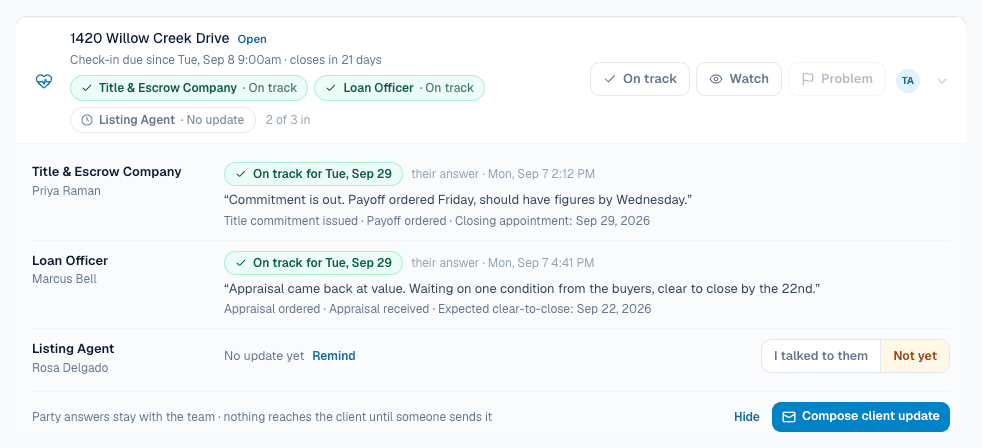
For a party who has not answered:
- Remind sends their link again. Once a day.
- I talked to them is for when you got the answer by phone. Add one line. It shows on the chip and pre-fills the client update.
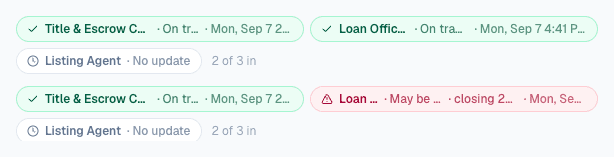
A party's answer never changes the deal on its own. You decide what it means.
Surfacing a problem
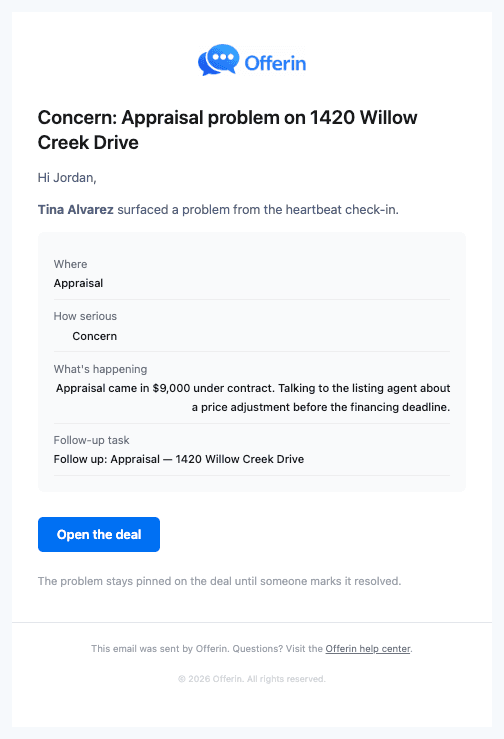
Press Problem on the row or Flag a problem on the card. The sheet asks four things.
- Where is it?Lender, Title, Other side, Client, Inspection, Appraisal, or Other.
- How serious?Concern emails the team. Blocked also texts the agent and manager right now.
- What is happening?One or two sentences. It stays pinned on the deal until resolved.
- Who should know?The usual people are on by default. Clients are always off. A follow-up task for tomorrow is created unless you untick it.
Press Flag & notify. The sheet shows who was emailed and who was texted.

Marking it resolved
Press Mark resolved. Add one line on what fixed it. The same people get the note, and the deal goes back to On track.

Client updates
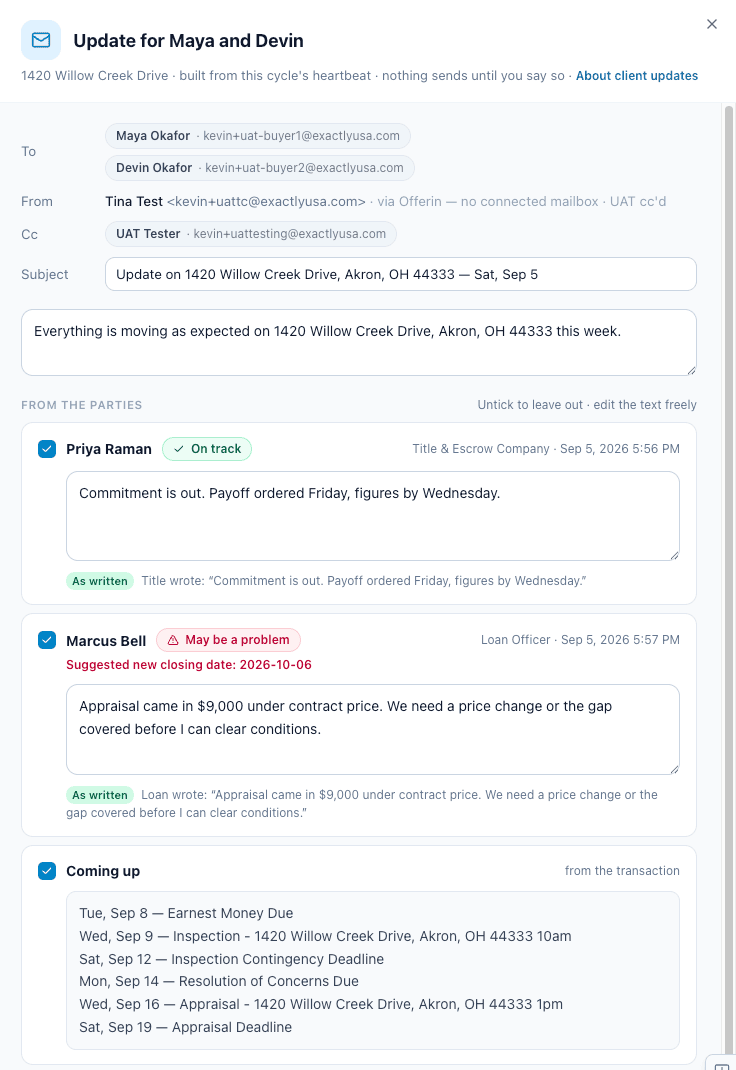
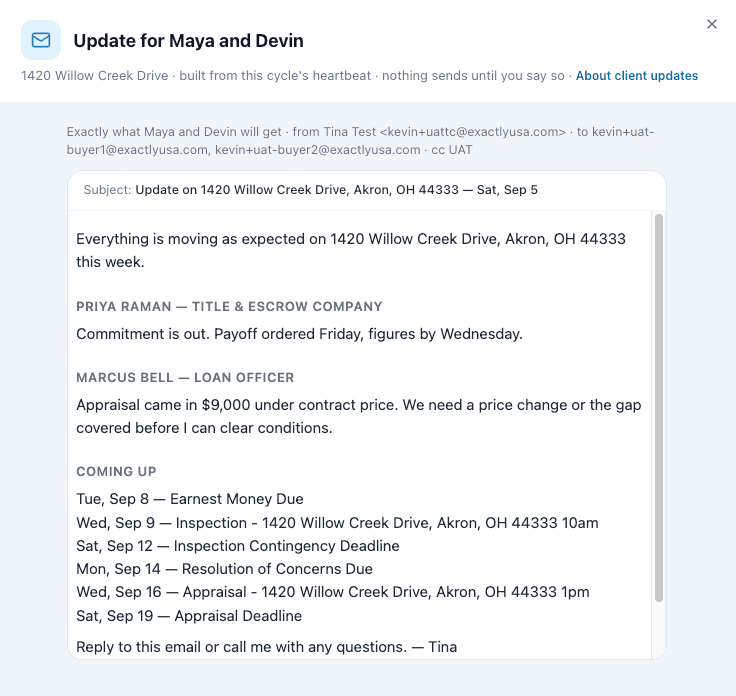
Pulse never emails the client on its own. Press Compose client update when you want the buyer or seller to hear how the week went.
- To is the clients. Cc is the team. From is you.
- Each party who answered gets a block in their words. Untick it or edit it.
- Preview email shows exactly what they get. Send sends it and files a PDF to Documents.
Turning it off
On the Settings tab, Turn off stops the check-ins and every party link right away. History is kept. When a deal closes, the pulse stops on its own.

Try it: answer a check-in
This is the real check-in row on a made-up deal. Nothing is saved.
This is the real check-in row. Try On track. Try Undo, then Watch. Flag a Problem and mark it resolved. The right side shows who hears about each step.
- OpenCheck-in due since Tue, Sep 8 9:00am · closes in 21 days
Related articles
You got a check-in email. Here is what it is, how to answer in two taps, and where your answer goes.
You got a check-in email. Here is what it is, how to answer in two taps, and where your answer goes.
Every email and text Pulse sends, who gets it, and the one rule: clients only hear what the team sends.