
Schedules, reminders and escalation
How the weekly rhythm works, and what happens when nobody answers.
- Who this is for:
- transaction coordinators, real estate agents
- Updated
- Sep 5, 2026
- 4 min read
A pulse runs on a simple rhythm. Parties are asked, the team checks in, the deal shows its status until next time. Here is every setting that shapes it.
Cadence and time zone
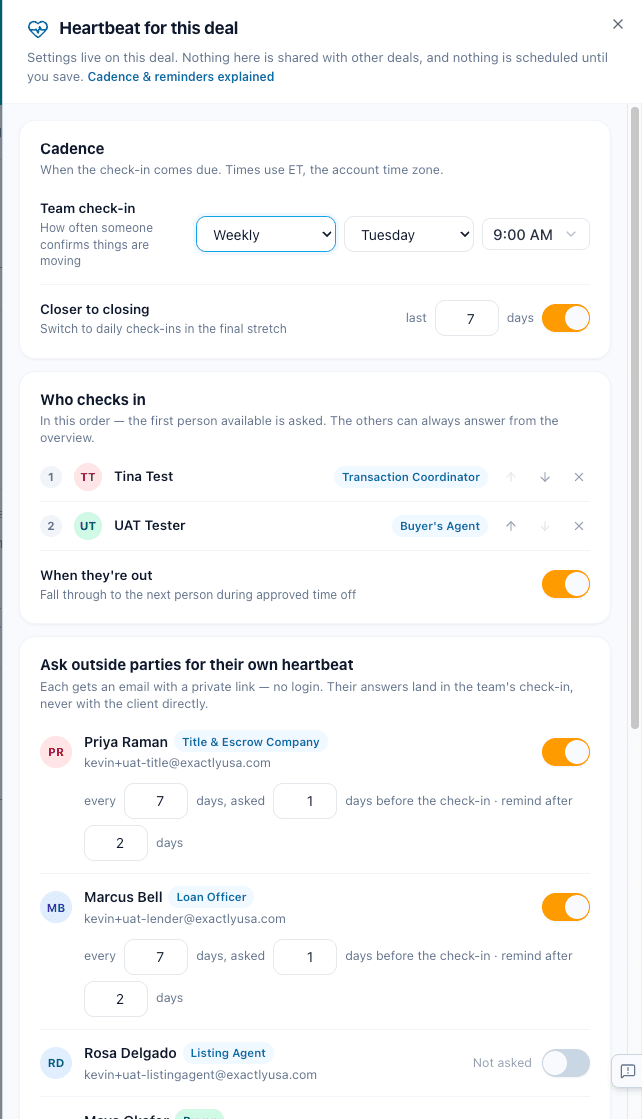
Team check-in sets how often the check-in comes due: Weekly, Every two weeks or Daily, plus the day and time. The default is Tuesday at 9:00 AM. That means parties are asked Monday morning.
Times use your account's time zone. A 9:00 AM check-in is 9:00 AM on your clock all year.
The final stretch
Closer to closing switches to daily check-ins for the last stretch before closing. The default is the last 7 days. It needs a closing date on the deal.
When outside parties are asked
Each party you switch on has three numbers:
- Asked N days before the check-in. Default 1. Their answer is in before the team looks.
- Every N days. Default 7. During daily check-ins a party is not asked again until this many days have passed.
- Remind after N days. Default 2. One automatic reminder if they go quiet.
A party's link works until the next round starts, and always for at least a day after the check-in was due. They can change their answer any time in that window.
Who checks in
Who checks in is a list in order. The first person is asked. If they are on approved time off, the next person is asked instead, and the row says so. Anyone on the team can answer in any week. The order only picks who is nudged.
Reminders and escalation
- Remind the checker after 1 day by default. Email, plus a text if they have a phone on file.
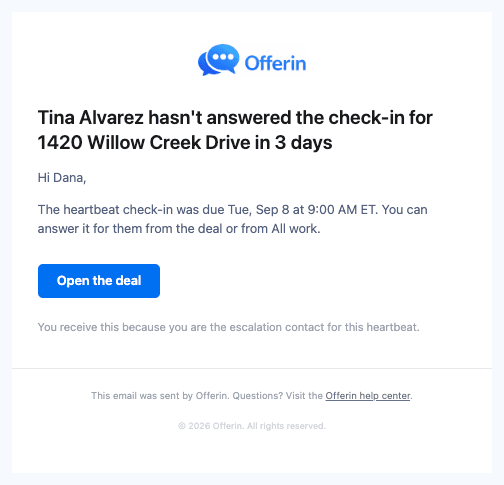
- Escalate after 3 days by default to the escalation contact, usually a manager. They can answer it themselves.
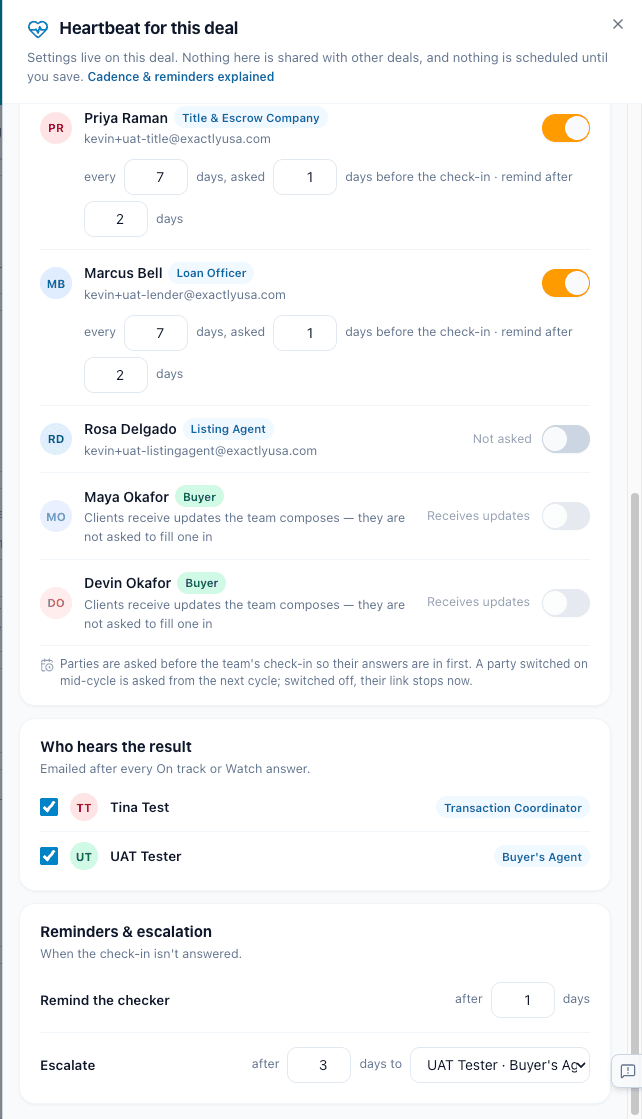
Who hears the result is separate. Those people get the result note after every On track or Watch. See Who gets told, and when.
When a pulse stops
- On its own when the deal closes, is terminated or is archived. Same for a listing that is sold, withdrawn or expired.
- By hand with Turn off on the deal's Settings tab. History is kept. You can turn it back on later.
Changing the closing date moves the next check-in. A round that is already open keeps its due time.
Related articles
A short tour of Pulse, the weekly check-in that keeps every deal moving.
What you will see, when to step in, and how to send a client update in two minutes.
Set it up in a minute. Answer in one tap. Flag problems fast. Send client updates that write themselves.