
What is Pulse?
A short tour of Pulse, the weekly check-in that keeps every deal moving.
- Who this is for:
- everyone
- Updated
- Sep 5, 2026
- 4 min read
Pulse keeps a deal from going quiet. Once a week it asks the people who know, like your lender and your title company, one small question. Their answers become a status your whole team can see, and an update your client will be glad to get.
Why deals go quiet
A deal is a lot of people doing their part in a lot of different places. Everyone is busy. Everyone assumes the deal is fine because nobody said otherwise.
Then a date slips. Someone on the deal saw it coming a week ago. Nobody asked them.
Pulse asks. One question, a few seconds to answer, all the answers in one place.
How Pulse works
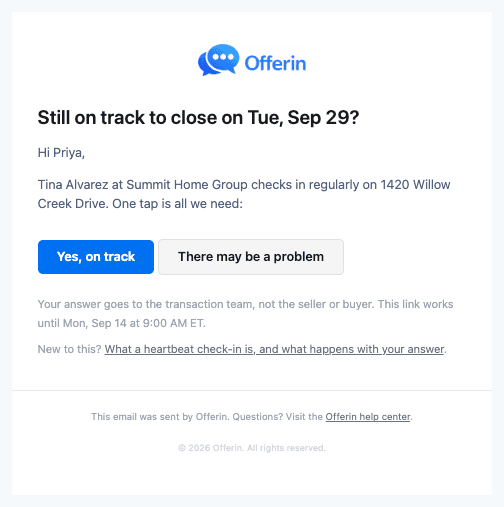

- Outside parties get one question. The day before the team's check-in, the lender and title company get an email: Still on track to close on Tue, Sep 29? Two buttons. No login.
- The team answers in one tap. On check-in day the coordinator sees the answers and taps On track, Watch or Problem.
- The deal shows its status. A chip in the deal header, a card on the overview, a line on the dashboard.
- The team decides what the client hears. Nothing goes to the buyer or seller on its own. When the team is ready, Pulse drafts a client update from the parties' own words. The agent edits it and sends it.
The five statuses
A deal is always in one of these states. The color and icon change together, so it reads at a glance.
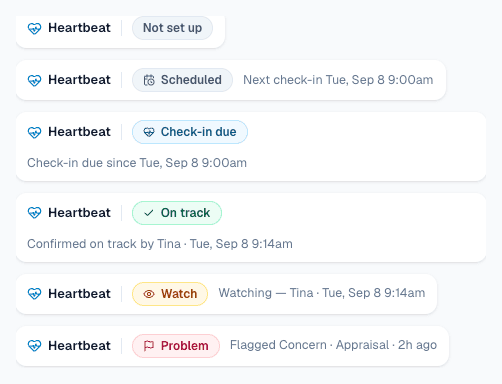
| Status | What it means |
|---|---|
| Not set up | No pulse yet. The deal shows a button to set one up. |
| Scheduled | The next check-in is not due yet. |
| Check-in due | It is check-in day and nobody has answered yet. |
| On track | The team said things are moving as expected. |
| Watch | Moving, but with a note to keep an eye on. Nobody is paged. |
| Problem | Someone flagged an issue. It stays pinned until it is marked resolved. |
Where answers go
- Outside parties' answers go to the team. The coordinator gets a short email with their exact words. The client never sees it.
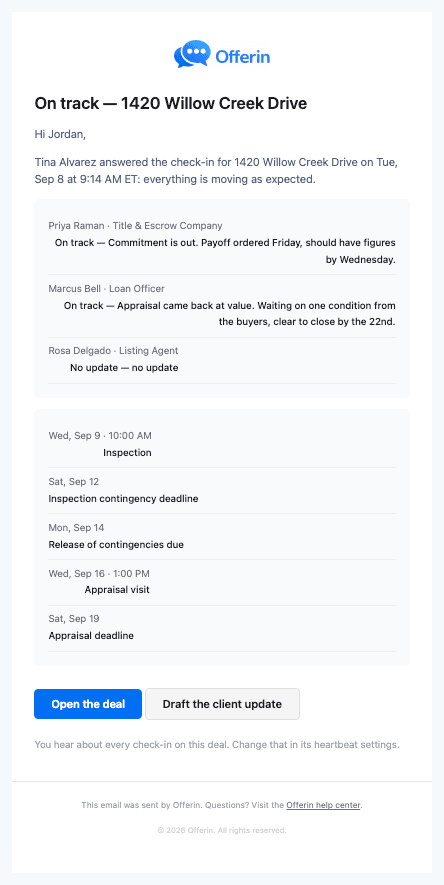
- The team's answer goes to the people you chose. Usually the agent. It comes as one email with each party's line and the next two weeks of dates.
- Problems go to the people who can fix them. A Concern is an email. Blocked also sends a text. Clients are never on the list.
- The client hears only what the team sends. A client update is a real email from the agent, in the agent's words.
The full list is in Who gets told, and when.
A week on one deal
Step through one deal for a week.
Step through five moments on a made-up deal. The card on the left is the real Pulse card.
- Tue, Sep 1 WatchTina · 9:40 AMparties 1 on track · 1 flagged · 1 silentclient update sent
- Tue, Aug 25 On trackJordan · 9:05 AMparties 3 on trackclient update sent
Nothing to do yet
The check-in is set for Tuesday at 9:00 AM. Until then the deal says Scheduled.
No email. No text.
Get started
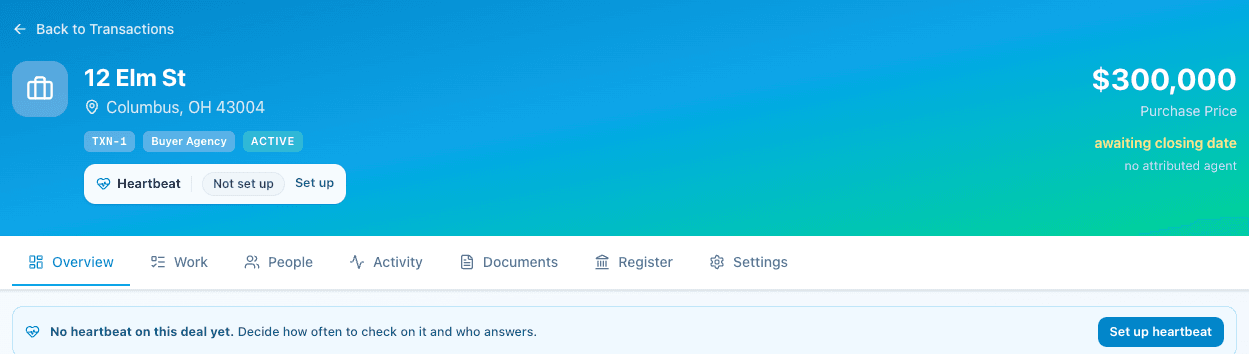
- Open the deal and press Set up pulse.
- Check the day and time. Pick who checks in. Switch on the outside parties you want asked.
- Press Save pulse.
Coordinators, read Pulse for transaction coordinators. Agents, read Pulse for real estate agents. Got a check-in email? See the guide for title & escrow companies or loan officers.
Related articles
What you will see, when to step in, and how to send a client update in two minutes.
Set it up in a minute. Answer in one tap. Flag problems fast. Send client updates that write themselves.
You got a check-in email. Here is what it is, how to answer in two taps, and where your answer goes.