
Other financials on the escrow letter
Record a holdback, a credit between the parties, a referral fee or a reimbursement on the deal, and send it to title on the escrow letter.
- Who this is for:
- transaction coordinators, real estate agents
- Updated
- Oct 22, 2026
- 5 min read
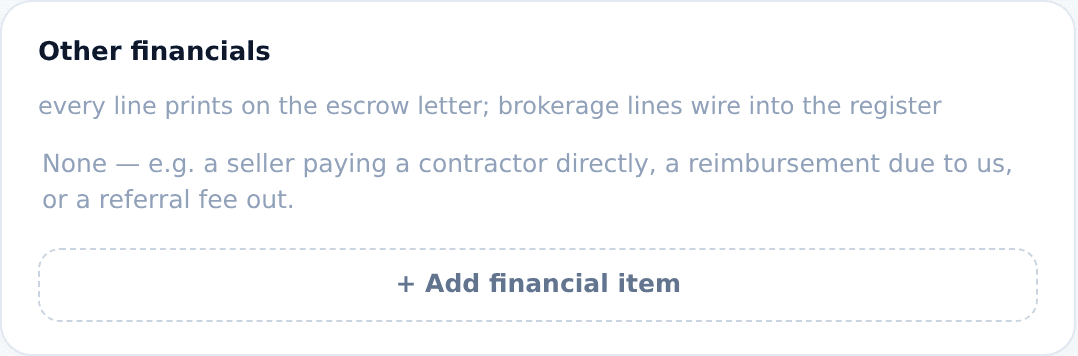
Commissions are not the only money the closing has to account for. A holdback, a credit between the parties, a referral fee, a reimbursement due to your brokerage: each is one line in Other financials at the bottom of the deal's Overview tab. Every line prints on the escrow letter.
What goes in Other financials
Anything the title company must pay, hold or credit at closing that is not a commission. One line per item: who pays, who receives, what it is for, and how much.
- A seller holdback for a repair that finishes after closing.
- A credit from one party to the other that the contract calls for.
- A referral fee your brokerage pays out of its commission.
- A reimbursement due to your brokerage, such as staging you paid up front.
The table sits under Commissions on the Overview tab. Anyone on the deal team and account managers can add to it. Accounting admins can read it.
Adding a line
- Open the deal and scroll to the bottom of Overview.Other financials is the last panel on the left.
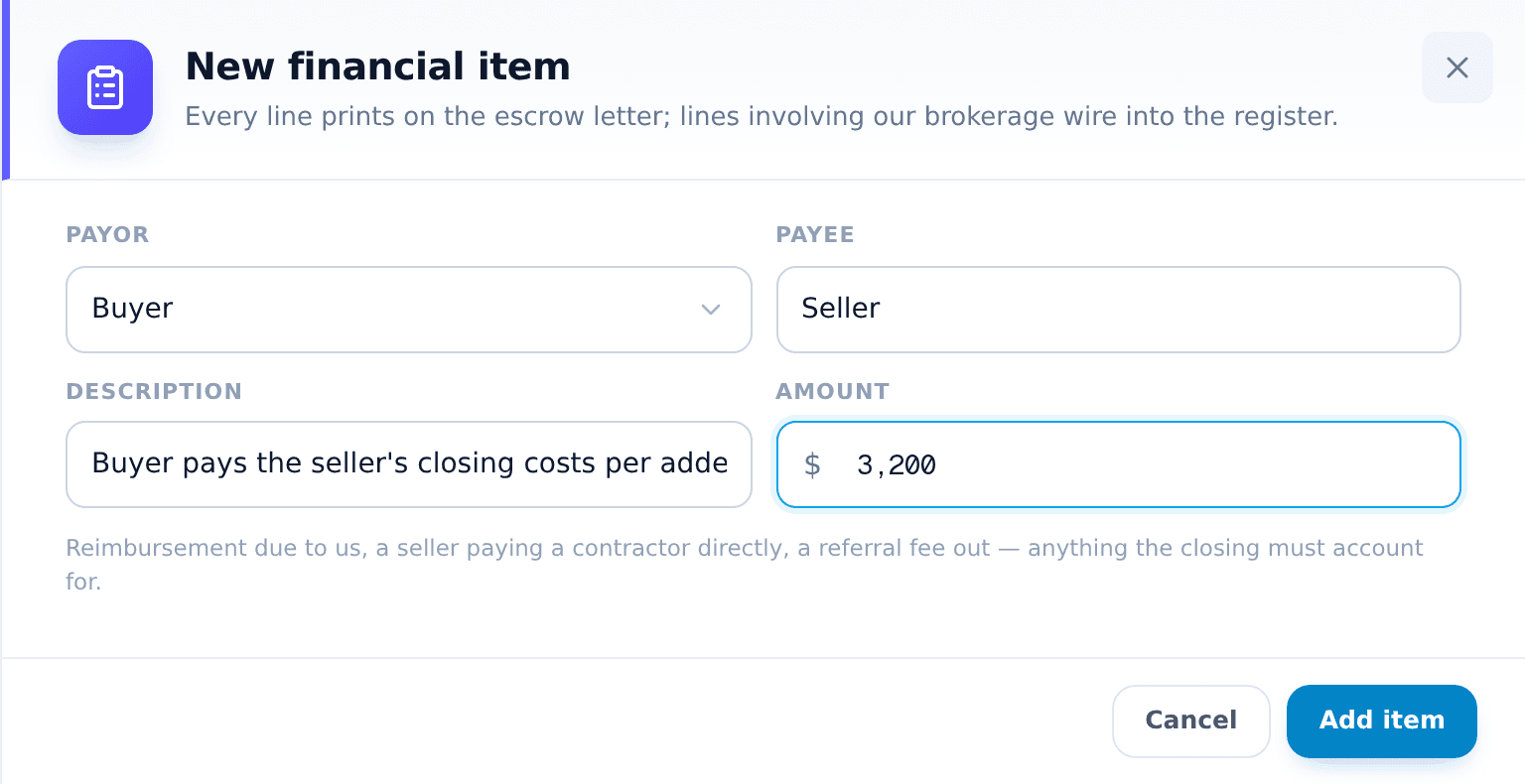
- Press + Add financial item.A panel opens on the right.
- Pick the payor.Seller, Buyer, Our brokerage, or the other side's broker. A dual agency deal has no other broker.
- Type the payee.Free text. A company, a person, or one of the parties. Write it the way it should read on the letter.
- Describe it in one line.This prints word for word on the letter, so say what the money is for and when it is released.
- Enter the amount and press Add item.Amounts are always positive. The line appears in the table at once.
Four examples
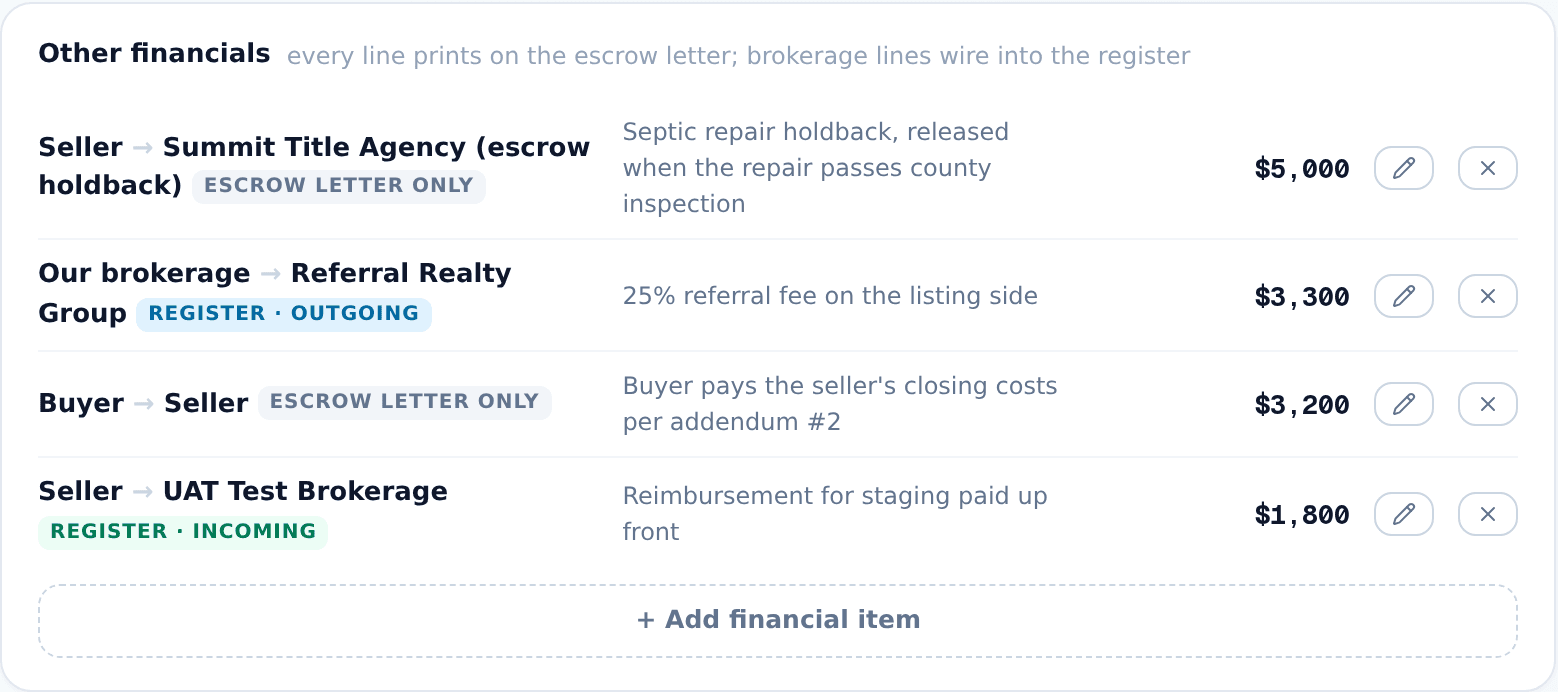
A seller holdback for a septic repair
The seller agreed to fix the septic system but the work finishes after closing. Title holds part of the seller's proceeds until the county signs off.
- Payor: Seller
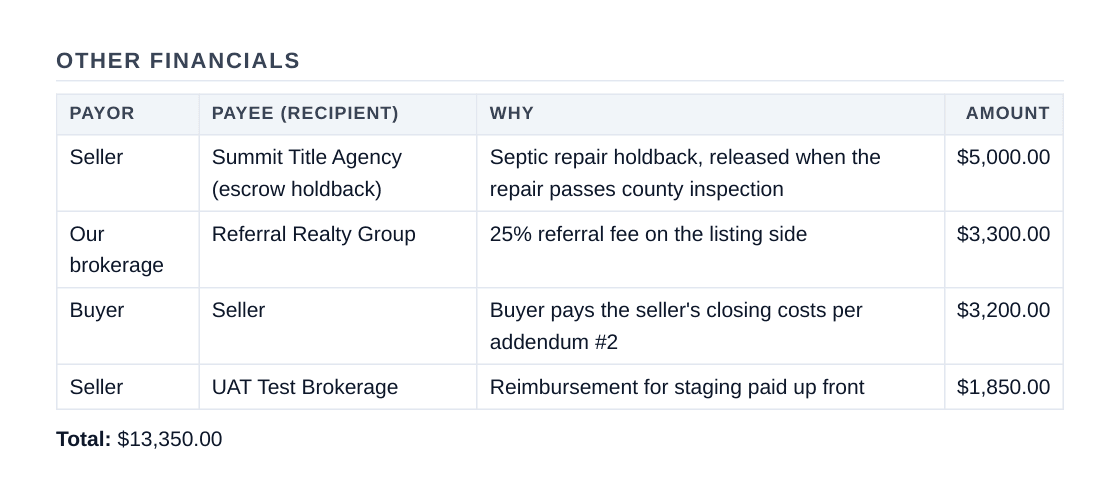
- Payee: Summit Title Agency (escrow holdback)
- Description: Septic repair holdback, released when the repair passes county inspection
- Amount: $5,000
The buyer pays the seller's closing costs
Unusual, but it happens: an addendum has the buyer covering the seller's side of the closing costs. Record it as a credit from the buyer to the seller so title sees it.
- Payor: Buyer
- Payee: Seller
- Description: Buyer pays the seller's closing costs per addendum #2
- Amount: $3,200
A referral fee out of our commission
- Payor: Our brokerage
- Payee: Referral Realty Group
- Description: 25% referral fee on the listing side
- Amount: $3,300
A reimbursement due to our brokerage
- Payor: Seller
- Payee: your brokerage's name
- Description: Reimbursement for staging paid up front
- Amount: $1,800
What the chips mean
Every line prints on the letter. The chip says whether it also touches your brokerage's register.
- Escrow letter only. Money between other people. It prints on the letter and touches nothing else. The holdback and the buyer's credit are this kind.
- Register · outgoing. The payor is Our brokerage. The register tracks it as money going out, like the referral fee.
- Register · incoming. The payee is your brokerage. Type your brokerage's name, or simply “us” or “our brokerage”, and the register expects it as money coming in, like the staging reimbursement.
On the escrow letter
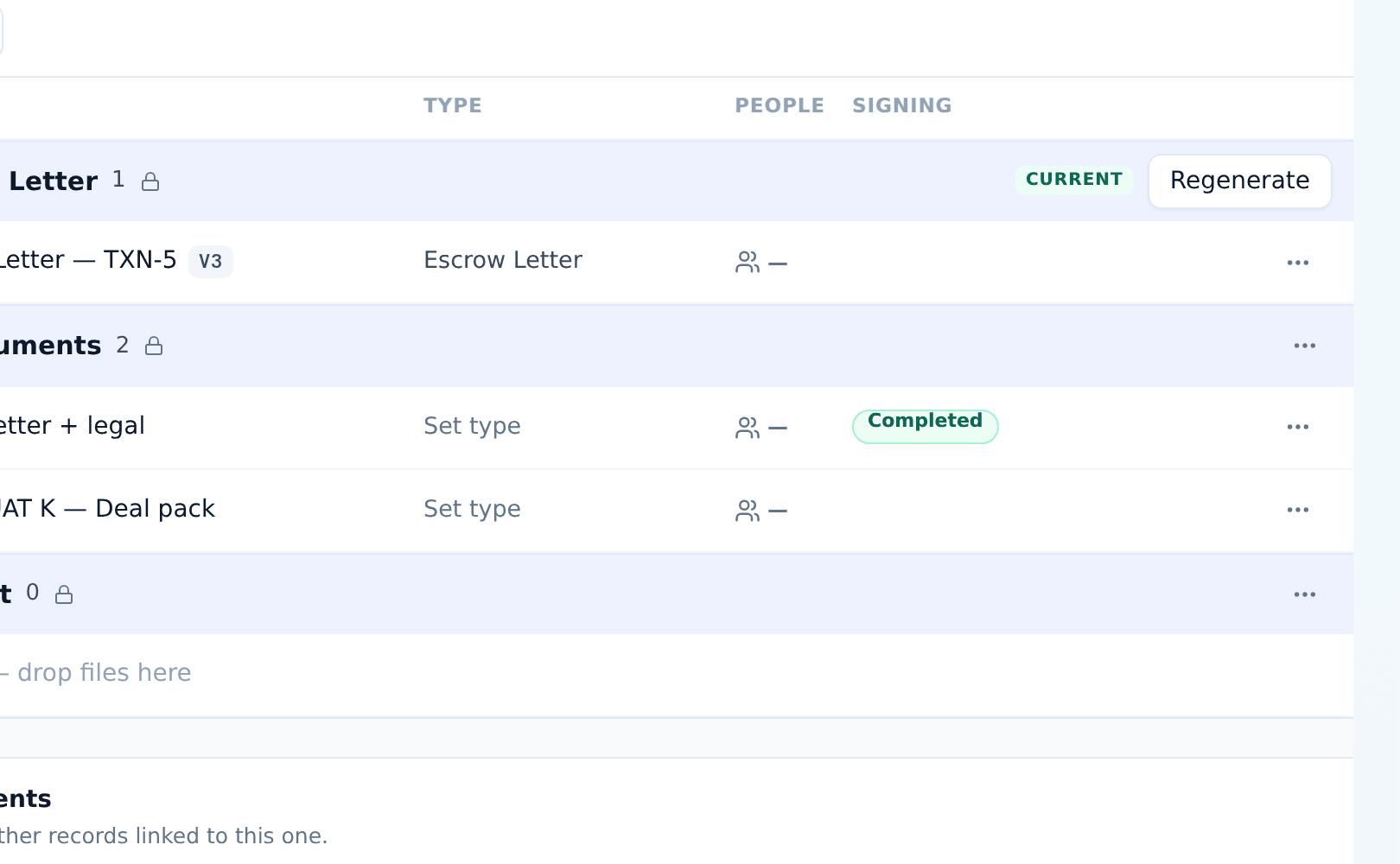
The escrow letter is generated from the Documents tab. It has one Escrow Letter folder, and the folder header holds the controls.

- Open the Documents tab.The Escrow Letter folder is at the top.
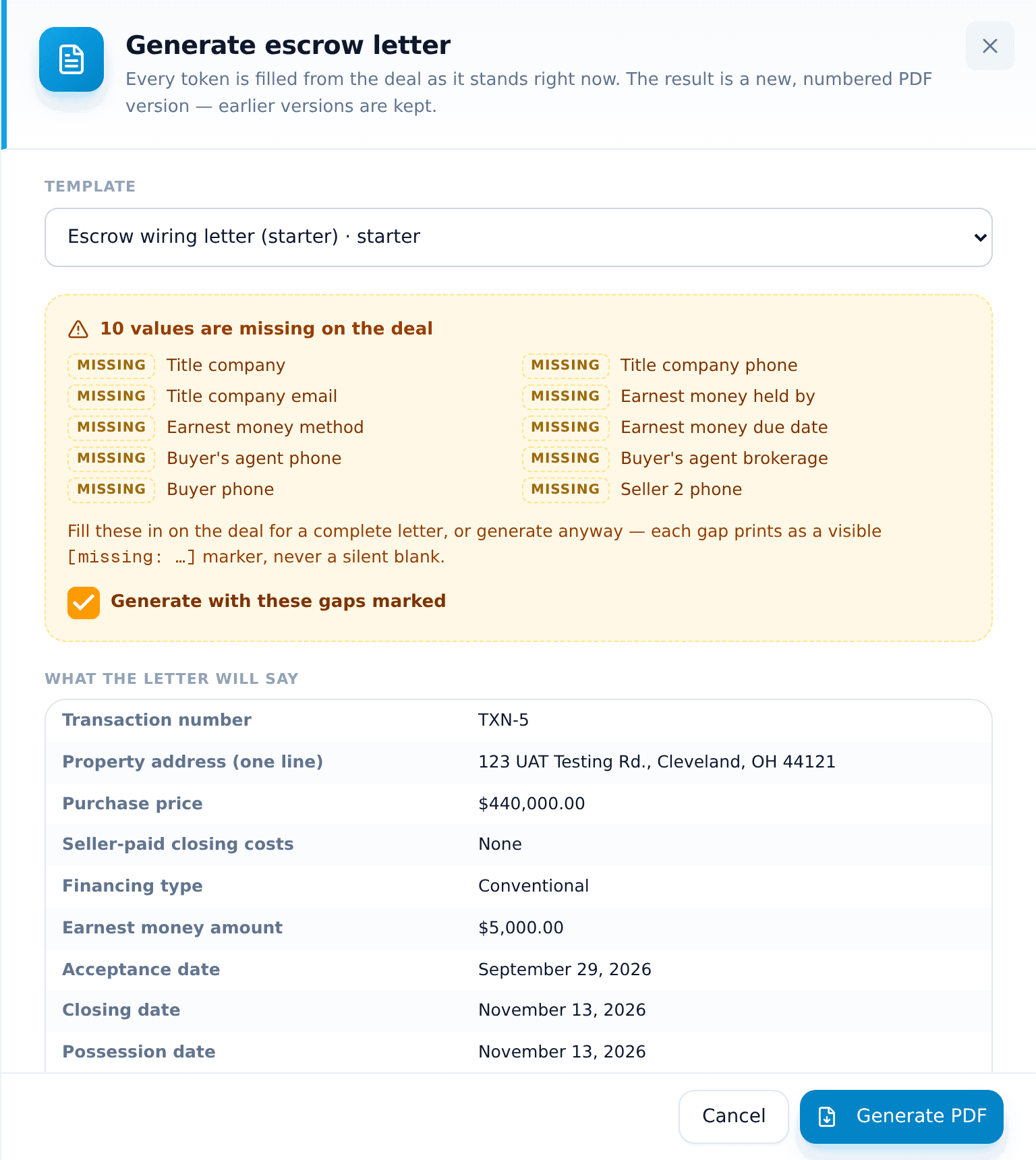
- Press Generate escrow letter.Pick a template. The panel checks the deal against it right away.
- Read the gaps, if any.A value missing on the deal is listed. Fill it in on the deal, or tick Generate with these gaps marked and each gap prints as a visible marker.
- Press Generate PDF.The letter is filed in the folder as a numbered version.
Your lines print as a table in the letter's Other financials section, with a total underneath.
Change the table, regenerate the letter
You do not have to remember. As soon as the table differs from the letter, the folder header says Out of date and Regenerate turns blue. Hover the chip to see what changed.

Regenerating files a new numbered version in the same folder. Earlier versions are kept, so you always have what was sent before.

Editing and removing a line
Each line has a pencil and an ×. The pencil opens the same panel with the values filled in. The × removes the line at once, with no confirmation, so check the row first.
Related articles
A short tour of Pulse, the weekly check-in that keeps every deal moving.
What you will see, when to step in, and how to send a client update in two minutes.
Set it up in a minute. Answer in one tap. Flag problems fast. Send client updates that write themselves.