
For transaction coordinators · For real estate agents
Pay a referral
Add a referral fee to the deal, choose whose money it comes out of, and record the payment to the other brokerage.
- Who this is for:
- transaction coordinators, real estate agents
- Updated
- Nov 9, 2026
- 3 min read
A referral fee is money that leaves the commission before your agent and your brokerage are paid. Add it to the deal once, choose whose money it comes out of, and pay it like anyone else.
1. Add the referral to the deal
Add a 25% referral to Lakeside Realty
- Open the deal's Register tab and press Add something coming out.Do this before or after the money arrives. Earlier is better: everyone's amount is right from the start.
- Keep Someone outside and type the other brokerage's name.Pick An agent instead when the referral goes to one of your own agents.
- Leave What for on Referral fee and type the amount.Type dollars. For a 25% referral on a $13,500 commission, that is $3,375. The note is a good place for "25% referral".
- Choose whose money it comes out of.Each choice shows what your agent and your brokerage end up with.
- Press Add the line.The referral becomes the first line on the Register tab.
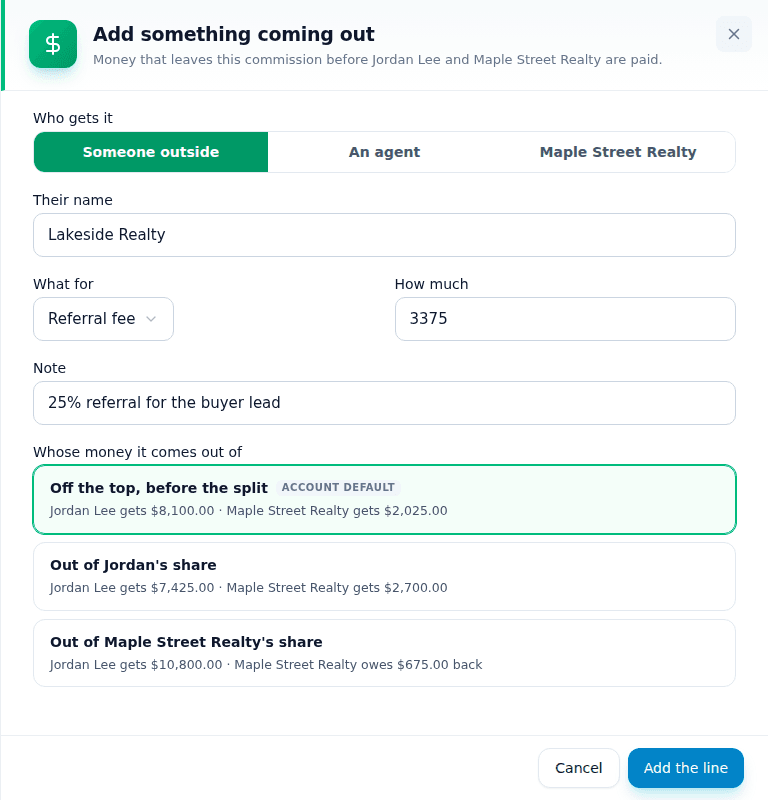
Whose money it comes out of
- Off the top, before the split. The usual choice. The referral is paid first and the agent's plan splits what is left, so the agent and the brokerage share the cost.
- Out of the agent's share. The agent pays it all, for example a referral they arranged themselves.
- Out of the brokerage's share. The brokerage pays it all, for example a lead from a company program.
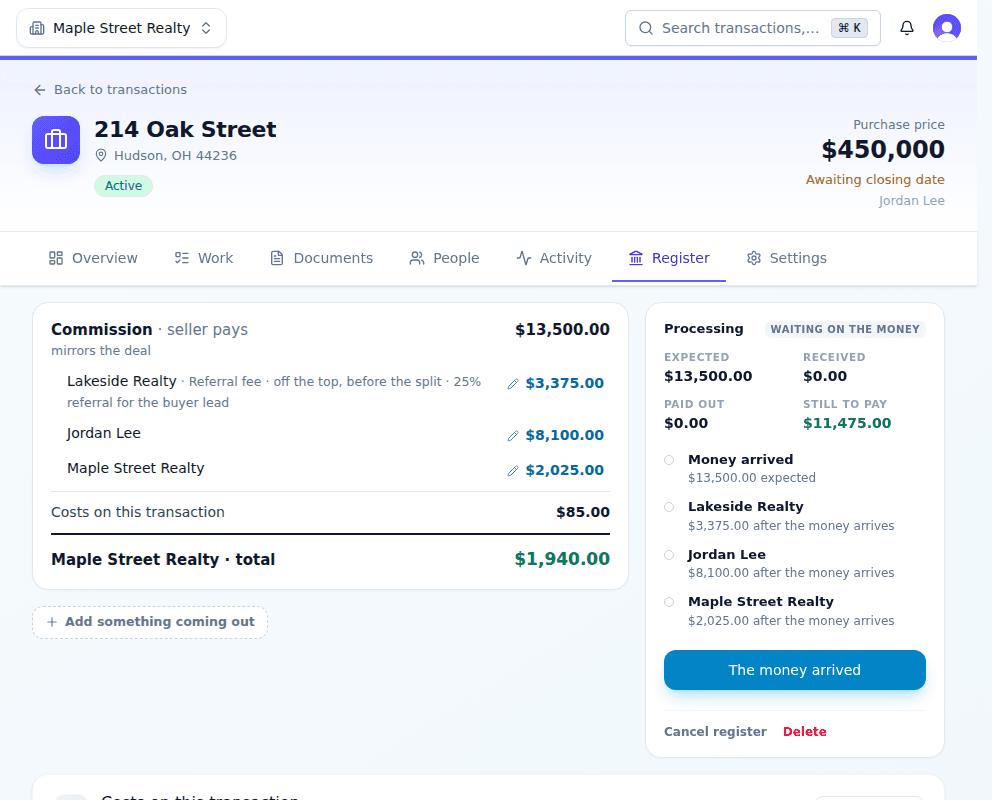
2. Pay the referral
Once the money arrives, the other brokerage shows under Money › To do › Pay these people like anyone else.
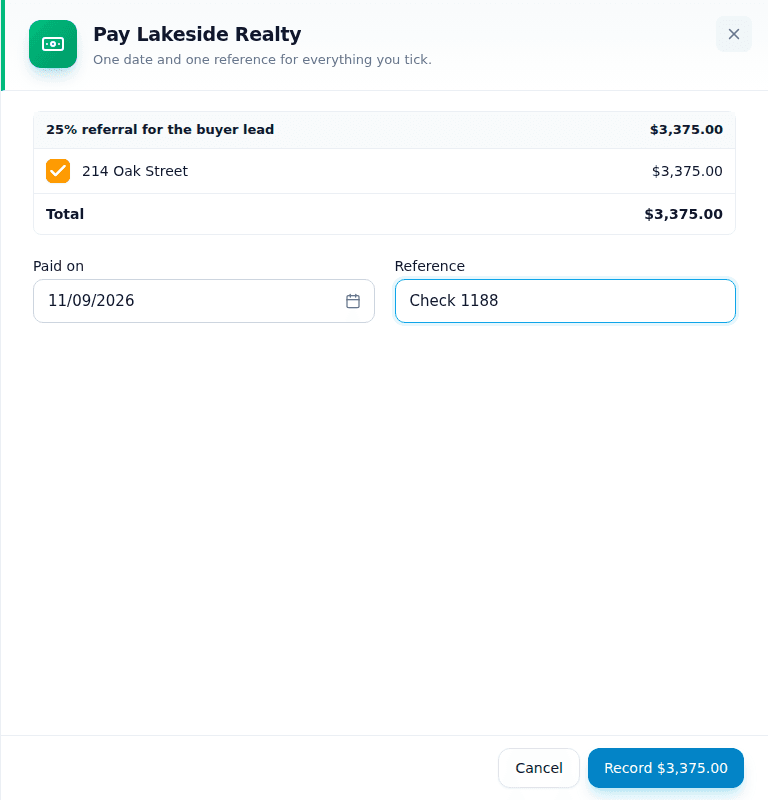
Pay Lakeside Realty from the Money page
- Press Mark paid beside the other brokerage.The referral is ticked.
- Type the check or transfer number.Use the date you sent it.
- Press Record.It moves to History with its reference.
Related articles
For transaction coordinators
Pay a commission
Record an agent's commission payment from the Money page or the deal, with one date and one reference.
2 min readRead
For transaction coordinators · For real estate agents
Split a commission between two agents
Give each of your agents a percent of the deal. Each share then goes through that agent's own plan.
2 min readRead
For transaction coordinators
Record money from the title company
When the commission arrives by wire or check, record the amount, the day and the reference so everyone can be paid.
2 min readRead