
Pay a commission
Record an agent's commission payment from the Money page or the deal, with one date and one reference.
- Who this is for:
- transaction coordinators
- Updated
- Nov 9, 2026
- 2 min read
Once a deal's money has arrived, each agent's share is ready to pay. Write the check or send the transfer as you always do, then record it here. Offerin records payments; it never moves money.
Before you start
- The money must be marked arrived. If it isn't, see Record money from the title company.
- The agent's amount is already worked out from their commission plan, after any referral that comes out first.
Pay from the Money page
This is the fastest way when you are paying several people at once.
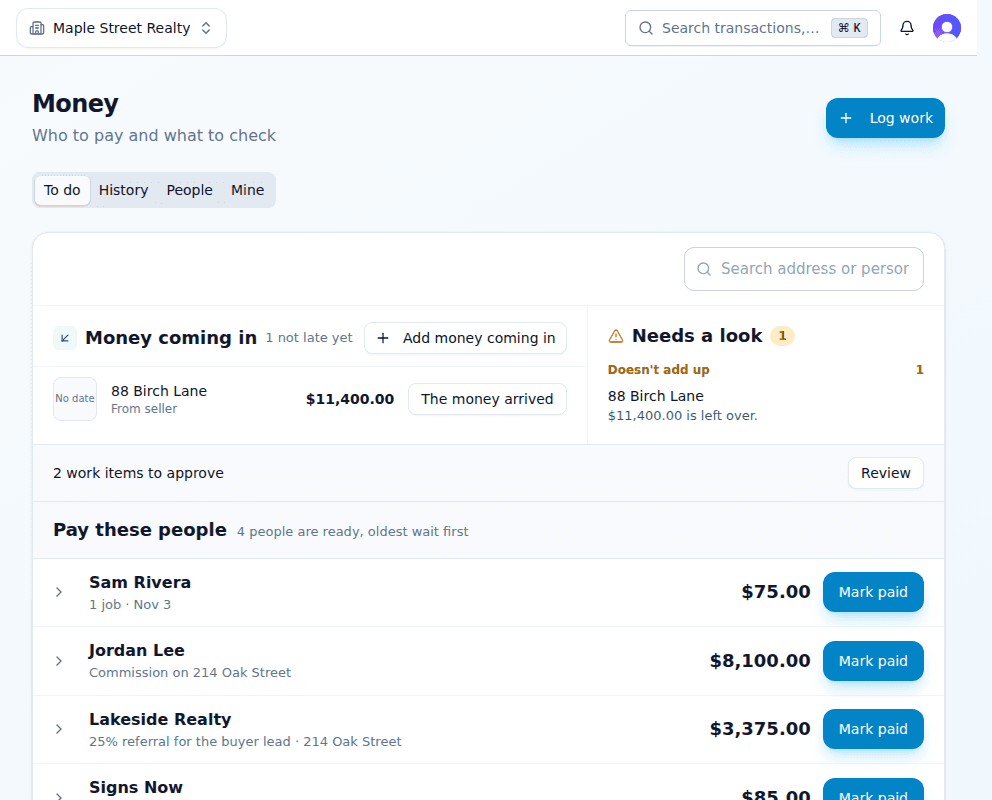
- Open Money and stay on To do.Pay these people lists each person once, oldest wait first.
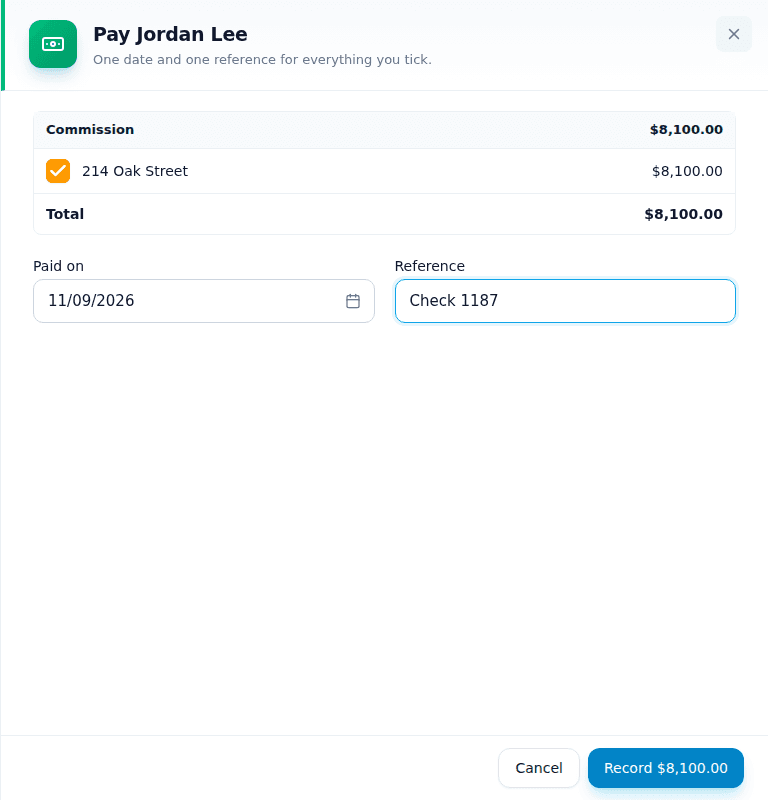
- Press Mark paid beside the agent.Everything they are owed is ticked: commissions, work pay, all of it. Untick anything you are not paying today.
- Check the date and type the check or transfer number.One date and one reference cover the whole payment.
- Press Record.The agent leaves the list and the payment shows under History.
Pay from the deal
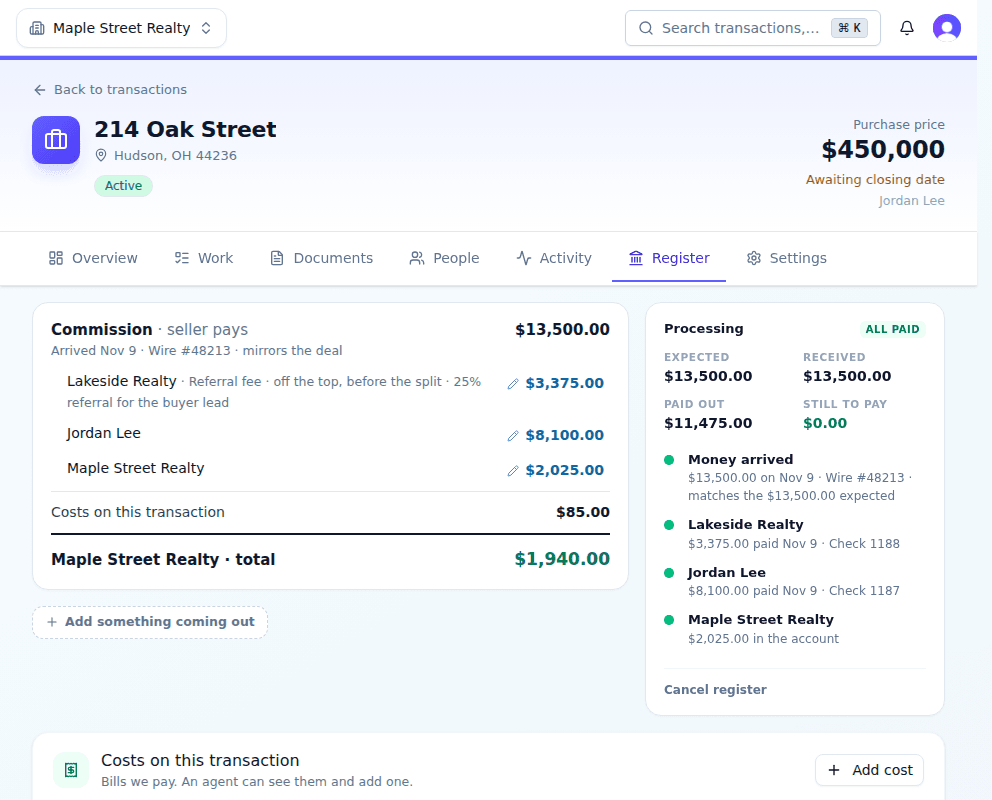
On the deal's Register tab, the box on the right has a Record … payment button for each person who is ready. It records the same payment.
Check what was paid
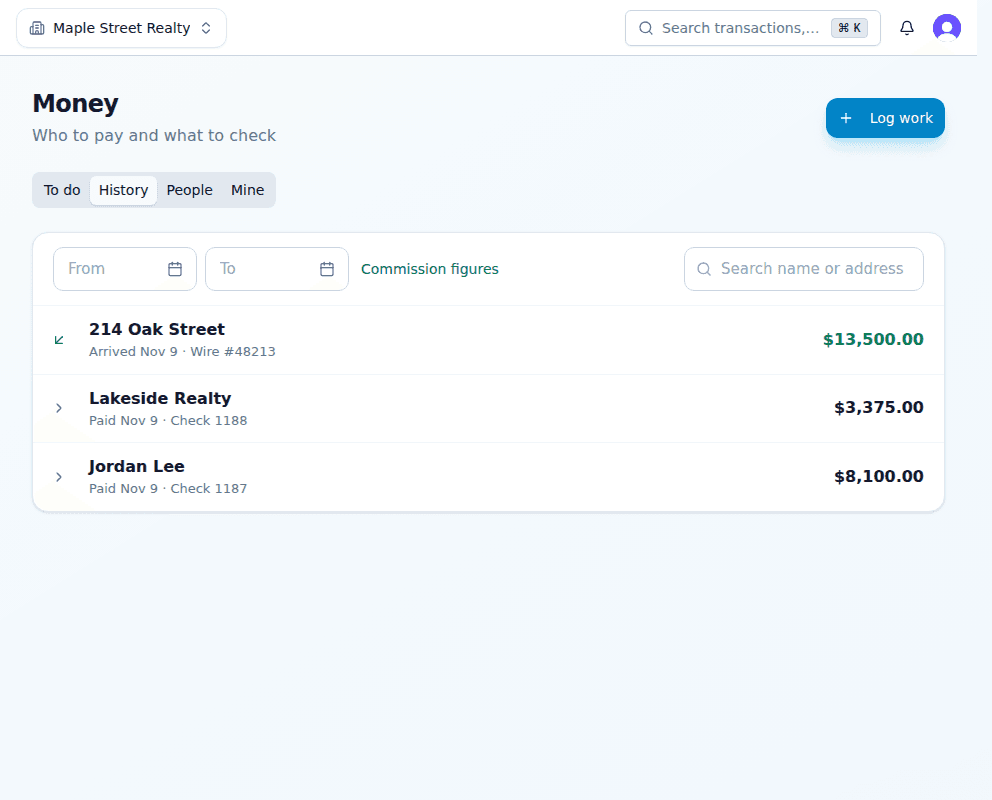
Money › History lists every payment and every arrival, newest first. Search by name or address, or pick dates.
Related articles
When the commission arrives by wire or check, record the amount, the day and the reference so everyone can be paid.
Give each of your agents a percent of the deal. Each share then goes through that agent's own plan.
Write what the brokerage takes from each agent, from a simple 70/30 split to a capped plan, and the plans most brokerages use.