
Record money from the title company
When the commission arrives by wire or check, record the amount, the day and the reference so everyone can be paid.
- Who this is for:
- transaction coordinators
- Updated
- Nov 9, 2026
- 2 min read
When the title company wires or mails the commission, record it once. Nobody can be paid from a deal until its money is marked arrived.
Where to find it
Two places show the same button:
- Money › To do › Money coming in. Every deal still waiting on its money, with The money arrived beside it.
- The deal's Register tab. The box on the right says Waiting on the money until you press the button.
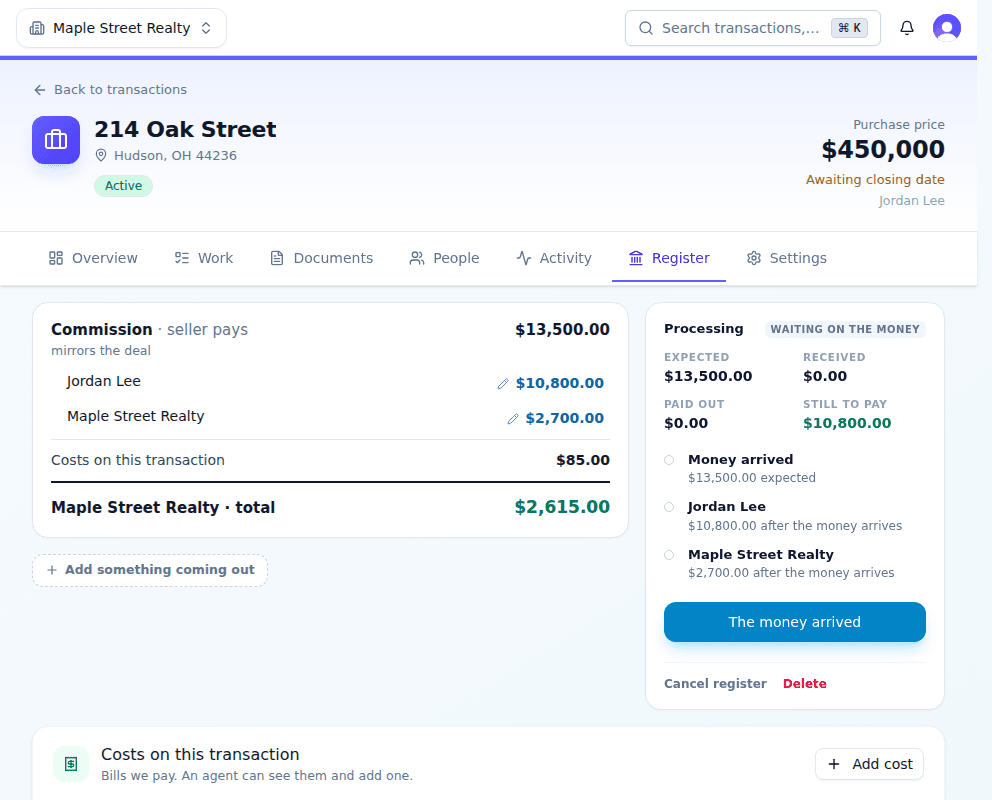
Record the money
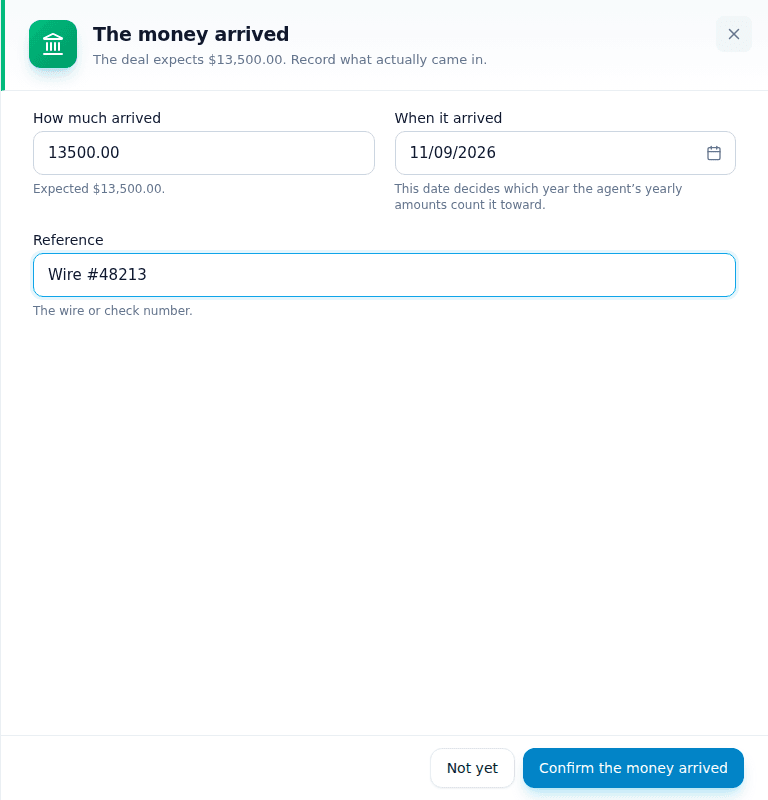
- Press The money arrived.The amount the deal expects is filled in for you.
- Check the amount.If the title company sent a different amount, type what actually came in. Offerin keeps both and flags the difference under Needs a look.
- Check the date.Use the day the money reached your account. It decides which year counts toward an agent's cap.
- Type the wire or check number.This is required. It is how you find the money later.
- Press Confirm the money arrived.Everyone on the deal becomes ready to pay.
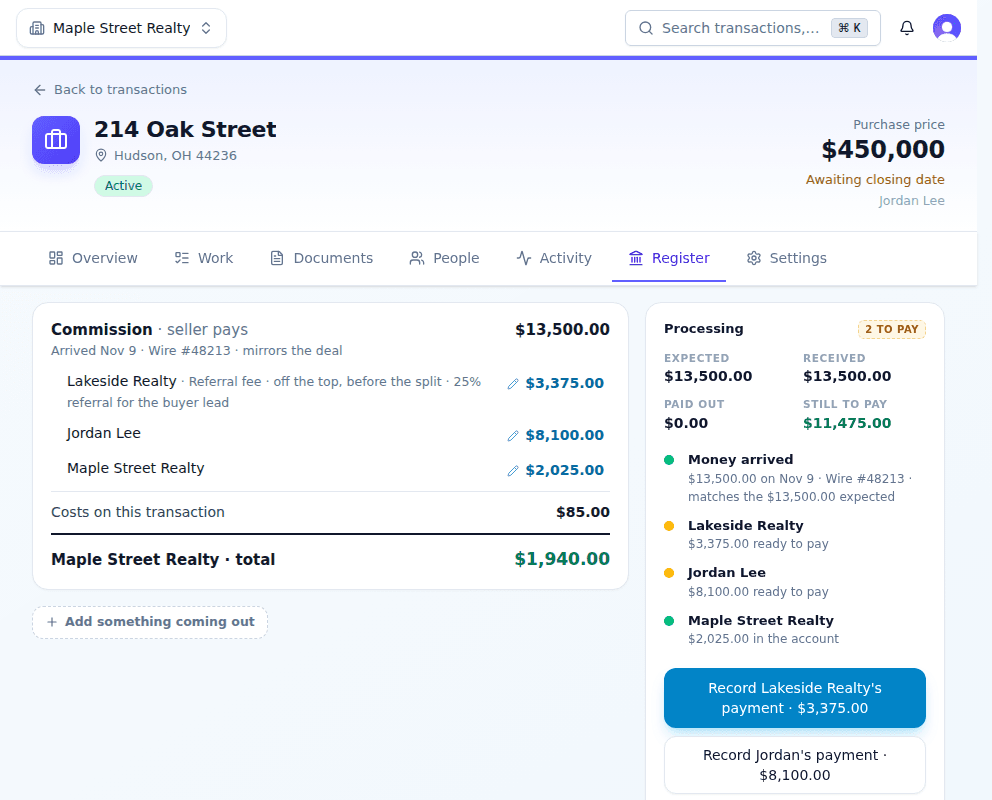
When it comes in more than one piece
A fee paid to your brokerage (a $495 admin fee, for example) is its own block on the Register tab with its own The money arrived button. Record each piece when it lands, with its own reference.
Related articles
Record an agent's commission payment from the Money page or the deal, with one date and one reference.
Add a referral fee to the deal, choose whose money it comes out of, and record the payment to the other brokerage.
One page for what came in, what needs approving and who to pay, and how to fix a payment.