
The Money page
One page for what came in, what needs approving and who to pay, and how to fix a payment.
- Who this is for:
- transaction coordinators, real estate agents
- Updated
- Nov 9, 2026
- 2 min read
Money is one page for what came in, what needs approving and who to pay. What you see depends on your role.
How do I…
- Record money from the title company
- Pay a commission
- Pay a referral
- Split a commission between two agents
- Track listing costs and paid costs
- Approve and pay work
- Set up commission plans
What you see
- Financial administrators and account managers see four tabs: To do, History, People and Mine.
- Someone who only approves work sees Work to approve and Mine.
- Everyone else sees Mine: your earnings and your work pay.
Everyone has Log work at the top of the page.
To do
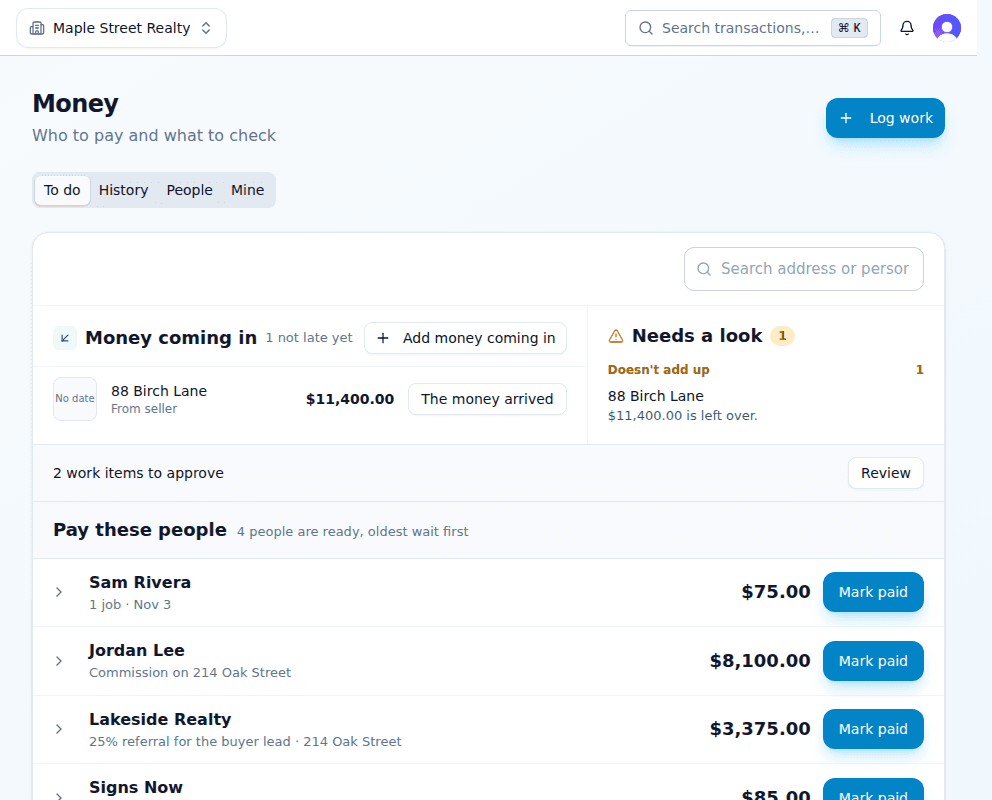
- Money coming in lists what has not arrived and is not late. Press The money arrived when it does.
- Needs a look sits beside it and shows problems, such as an amount that doesn't add up or money not marked arrived 2 days after closing. Click one to see the numbers. A row leaves once it is fixed.
- Work to approve shows as a bar when work is waiting for a decision.
- Pay these people lists each person once, oldest wait first. Open a row to see what they are owed.
The search box filters every list by address, person or amount.
Paying someone
- Press Mark paid beside their name.Everything they are owed is ticked, except anything that needs a look first.
- Untick anything you are not paying now.The total updates as you go.
- Add the paid-on date and a reference.One date and one reference cover the whole payment.
- Press Record.If something can't be paid, you are told which item and why. The rest is paid.
Fixing a mistake
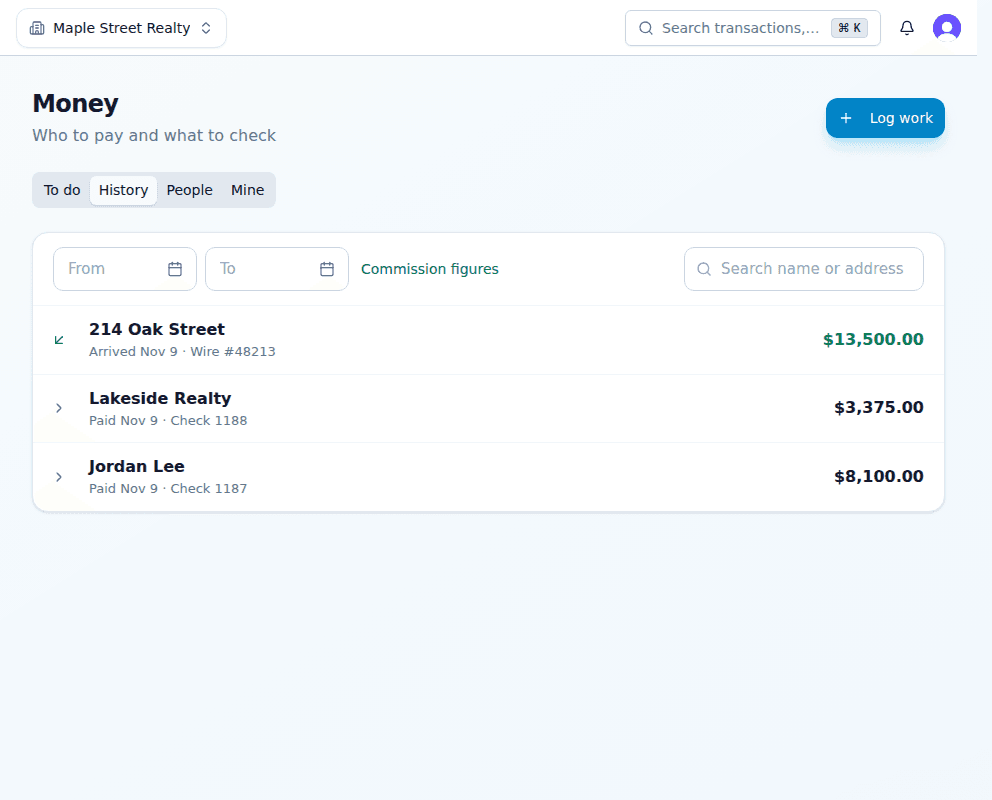
Open History and find the payment. Undo a bill or work, or Correct a commission on the deal's Register tab. You say why, and the other items in that payment stay paid.
Related articles
Record an agent's commission payment from the Money page or the deal, with one date and one reference.
When the commission arrives by wire or check, record the amount, the day and the reference so everyone can be paid.
Write what the brokerage takes from each agent, from a simple 70/30 split to a capped plan, and the plans most brokerages use.