
Track listing costs
Record every bill your brokerage pays for a house, like photos, signs and staging, on the listing or the deal.
- Who this is for:
- transaction coordinators, real estate agents
- Updated
- Nov 9, 2026
- 2 min read
Photos, signs, staging, a cleaning: every bill your brokerage pays for a house goes under Our costs. You see what each listing or deal really costs, and nothing is forgotten when it's time to pay.
Where costs live
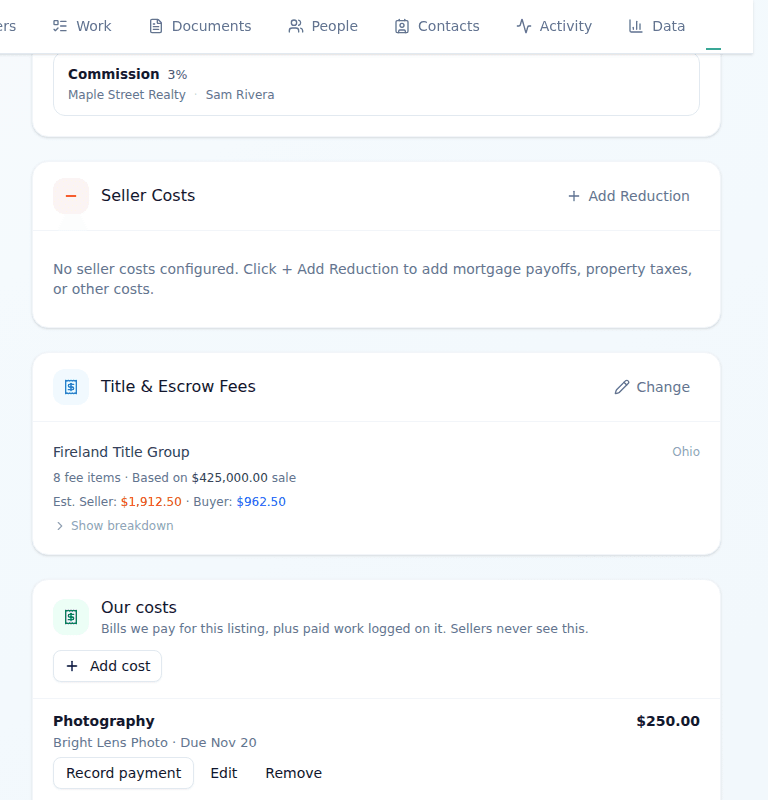
- On a listing: Settings › Money, the Our costs card.
- On a deal: the Register tab, below the money.
A cost added on a listing also shows on the deal made from it. Paid work logged on the listing, like an open house, shows there too.
Add a cost
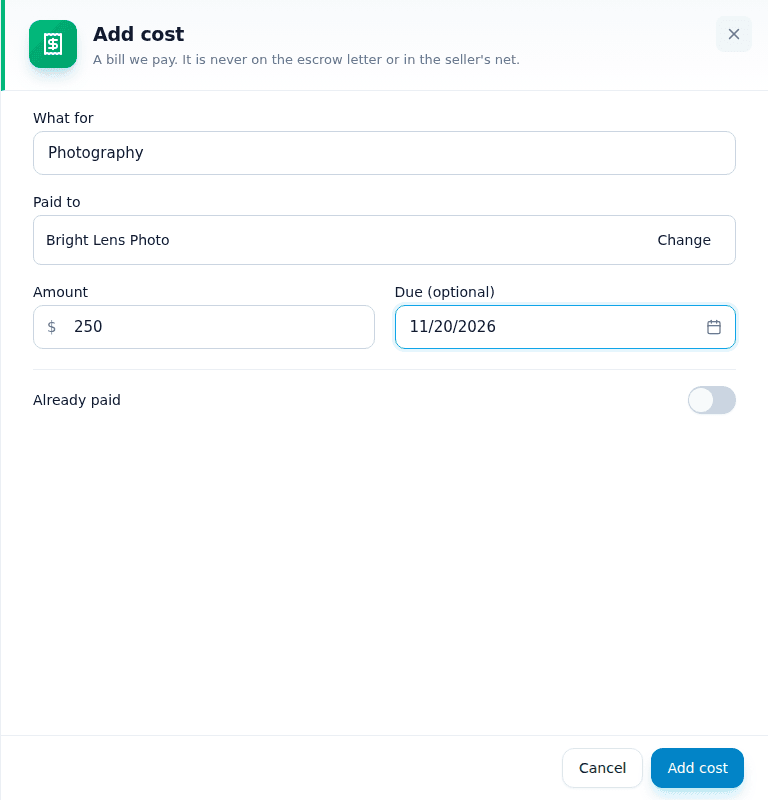
- Press Add cost.Agents can add costs too.
- Type what it is for, like Photography.
- Pick who it is paid to.Start typing to find a contact. If they aren't a contact yet, press Add … as a new contact.
- Type the amount and, if you know it, the due date.A bill past its due date shows under Money › Needs a look.
- Press Add cost.The bill is listed as owed, and the vendor shows under Pay these people.
Who sees costs
- Your team on the listing or deal sees them and can add one.
- Sellers and buyers never see them.
- Costs are never on the escrow letter and never change the seller's net.
Related articles
Add a bill that is already paid, or record the payment of one you owe, and see what each house cost.
Fees print on the escrow letter. Bills your brokerage pays go in Our costs, and a referral your brokerage pays is a line on the register.
One page for what came in, what needs approving and who to pay, and how to fix a payment.