
For transaction coordinators
Track paid costs
Add a bill that is already paid, or record the payment of one you owe, and see what each house cost.
- Who this is for:
- transaction coordinators
- Updated
- Nov 9, 2026
- 2 min read
Every paid bill keeps the day it was paid and the check or card number. There are two ways to get there: add a bill that is already paid, or record the payment of a bill you added earlier.
Add a paid bill, then pay one that was owed
A bill you already paid
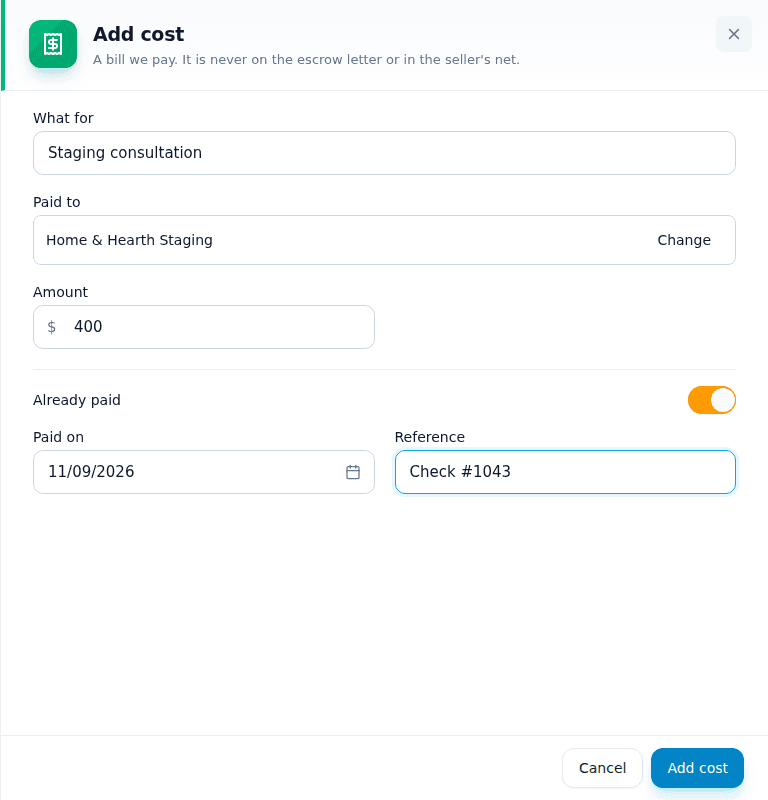
- Press Add cost and fill in what for, who and how much.
- Switch on Already paid.Two boxes appear: the paid-on date and a reference.
- Type the check number, or the last four digits of the card.The date starts as today. Change it if you paid earlier.
- Press Add cost.It is listed as paid straight away.
A bill you pay later
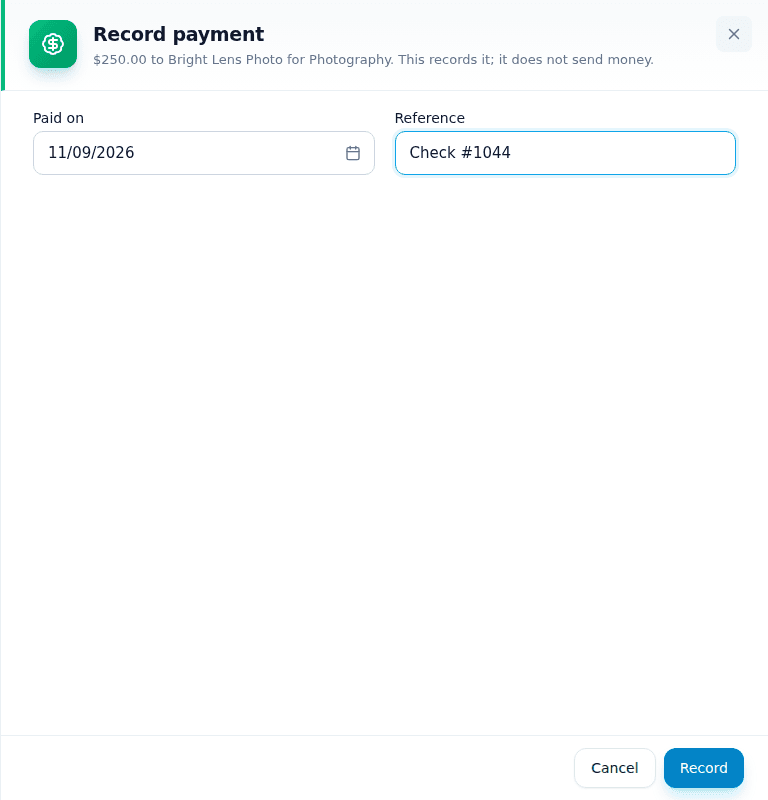
- Press Record payment on the bill.It is on the listing's Our costs card or the deal's Register tab.
- Type the date and the reference.Recording a payment never sends money. Pay the vendor as usual first.
- Press Record.
You can also pay bills from Money › To do › Pay these people, where each vendor is listed once with everything you owe them.
See what was paid
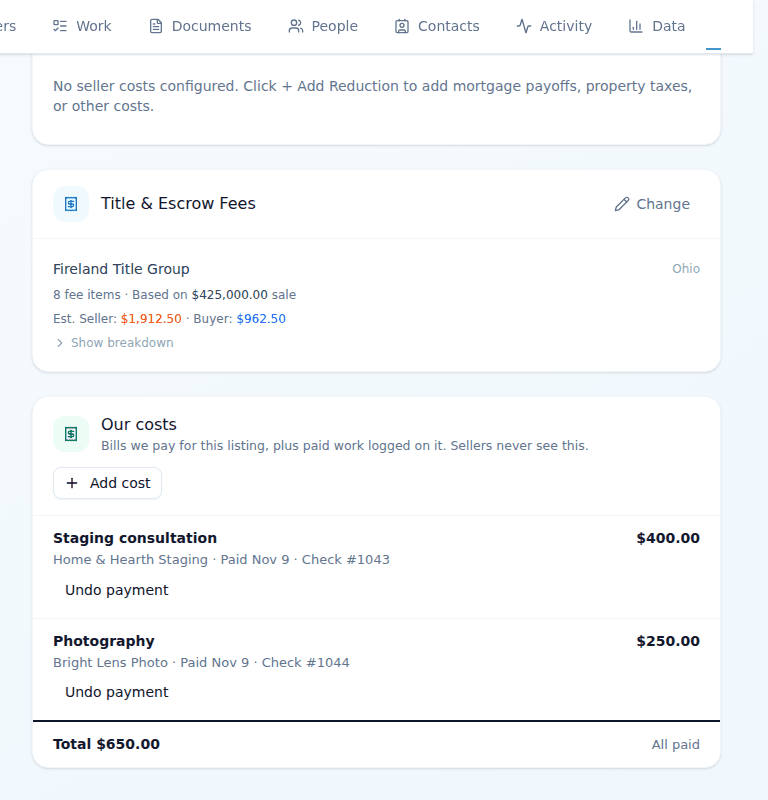
- On the listing or deal: each paid bill shows its date and reference, and the card's total says All paid or how much is still owed.
- Across the office: Money › History lists every payment. Money › People shows everything paid to one vendor.
Related articles
For transaction coordinators · For real estate agents
Track listing costs
Record every bill your brokerage pays for a house, like photos, signs and staging, on the listing or the deal.
2 min readRead
For transaction coordinators
Pay a commission
Record an agent's commission payment from the Money page or the deal, with one date and one reference.
2 min readRead
For transaction coordinators · For real estate agents
The Money page
One page for what came in, what needs approving and who to pay, and how to fix a payment.
2 min readRead