
For transaction coordinators · For real estate agents
Split a commission between two agents
Give each of your agents a percent of the deal. Each share then goes through that agent's own plan.
- Who this is for:
- transaction coordinators, real estate agents
- Updated
- Nov 9, 2026
- 2 min read
When two of your agents work a deal together, give each one a percent of the commission. Each agent's part then goes through their own commission plan, so each is paid correctly.
Split 88 Birch Lane 60/40 between Jordan and Sam
Set the split
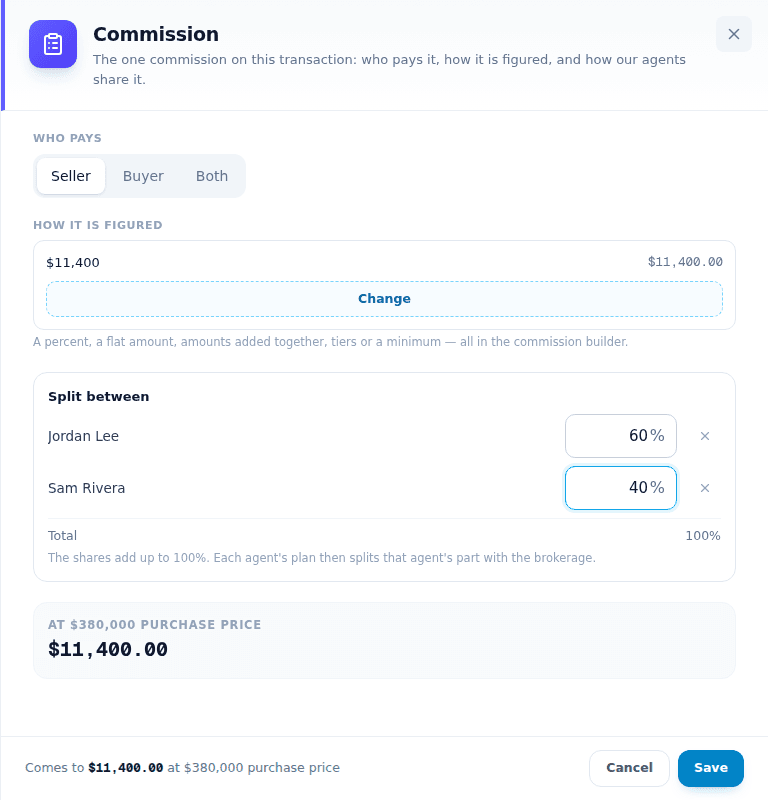
- Open the deal's Overview and find Commissions.Press the pencil on the Commission row.
- Press Add agent and pick the second agent.The box now says Split between and gives each agent 50%.
- Type each agent's percent.The shares must add up to 100%. The total shows under the list.
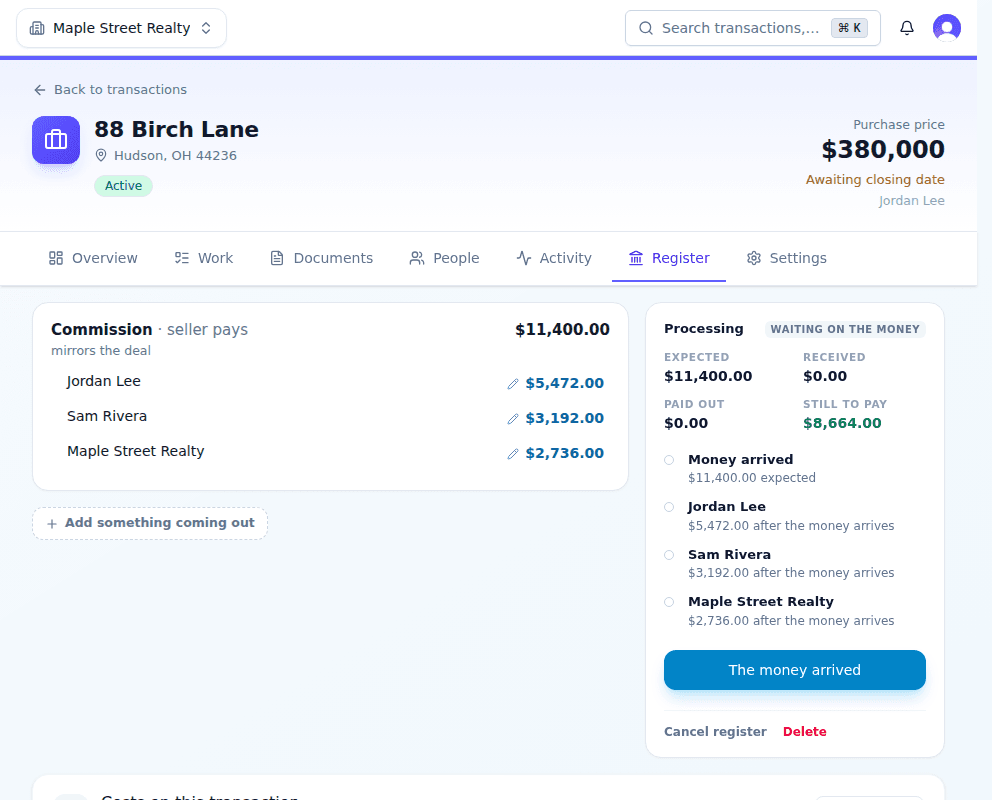
- Press Save.The Register tab now shows a line for each agent.
How the money adds up
The split happens first. Then each agent's plan takes the brokerage's part from that agent's share.
- Commission: $11,400.
- Jordan's 60% is $6,840. Jordan is on an 80/20 plan, so Jordan gets $5,472 and the brokerage $1,368.
- Sam's 40% is $4,560. Sam is on a 70/30 plan, so Sam gets $3,192 and the brokerage $1,368.
- The brokerage gets $2,736 in all.
When to set it
- Best: when the deal is created. The new-deal form has the same Split between box, and a listing's split carries over to the deal.
- Any time before the agents are paid. Change the percents and every amount is worked out again.
Related articles
For transaction coordinators · For real estate agents
Set up commission plans
Write what the brokerage takes from each agent, from a simple 70/30 split to a capped plan, and the plans most brokerages use.
4 min readRead
For transaction coordinators
Pay a commission
Record an agent's commission payment from the Money page or the deal, with one date and one reference.
2 min readRead
For transaction coordinators · For real estate agents
Pay a referral
Add a referral fee to the deal, choose whose money it comes out of, and record the payment to the other brokerage.
3 min readRead