
Approve and pay work
Log work like open houses and showings, approve it, and pay it with everything else the person is owed.
- Who this is for:
- transaction coordinators, real estate agents
- Updated
- Nov 9, 2026
- 2 min read
Work items are small jobs your brokerage pays for: hosting an open house, a showing for a teammate, a delivery. Someone logs the work, an admin approves it, and then it is paid with everything else that person is owed.
1. Log the work
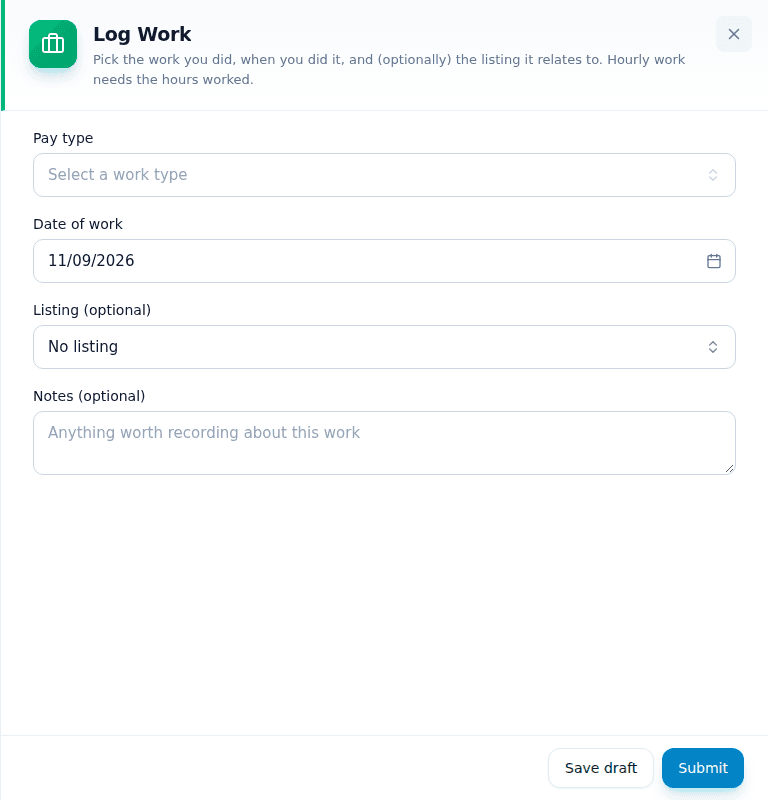
Anyone can press Log work at the top of the Money page. Pick the pay type, the day, and the listing if it was for one, then press Submit. The amount comes from the pay type.
2. Approve it
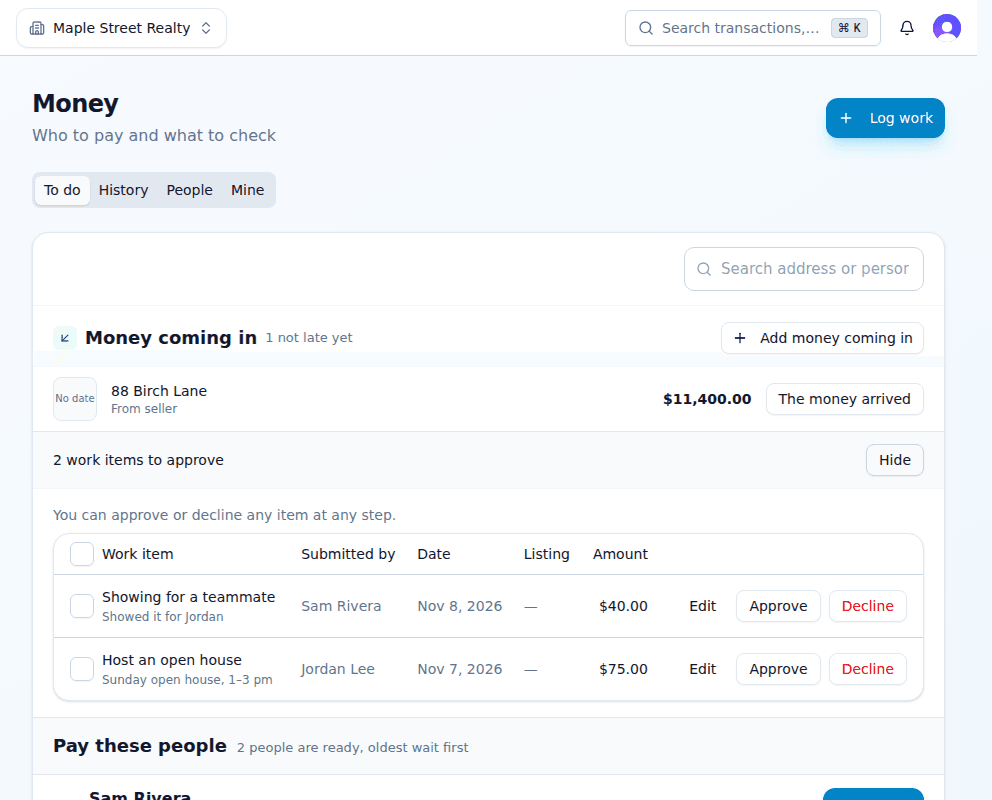
- On Money › To do, press Review on the work items to approve bar.Each item shows who did it, when, and the amount.
- Press Approve or Decline.Edit fixes an amount or date first. Tick several boxes to approve them together.
3. Pay it
Approved work joins the person's row under Pay these people, with their commissions.
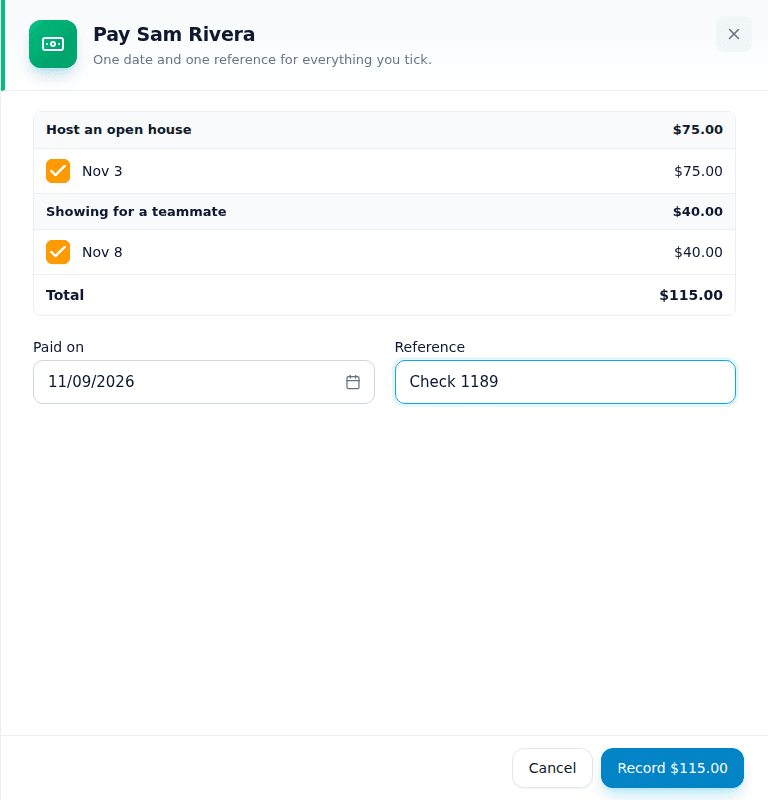
- Press Mark paid beside the person.Every approved job is ticked. Untick any you are not paying now.
- Type the check or transfer number.One reference for the whole payment.
- Press Record.The person gets one email listing what was paid.
Related articles
Record an agent's commission payment from the Money page or the deal, with one date and one reference.
One page for what came in, what needs approving and who to pay, and how to fix a payment.
Record every bill your brokerage pays for a house, like photos, signs and staging, on the listing or the deal.